
What is a DNS record?
DNS is the phone book of the internet. When someone types your domain, their computer asks DNS servers where to find you, and DNS answers with numbers and instructions that browsers and mail servers understand. Without it, you would have to memorize an IP address like 203.0.113.25 for every site you visit.
The full set of records for one domain is called a zone. Each record has three main parts: a type (what kind of instruction it is), a name or host (which part of your domain it applies to, where “@” means the root of the domain), and a value (the answer it returns). Every record also carries a TTL, a number of seconds that tells other servers how long they may cache the answer before checking again.
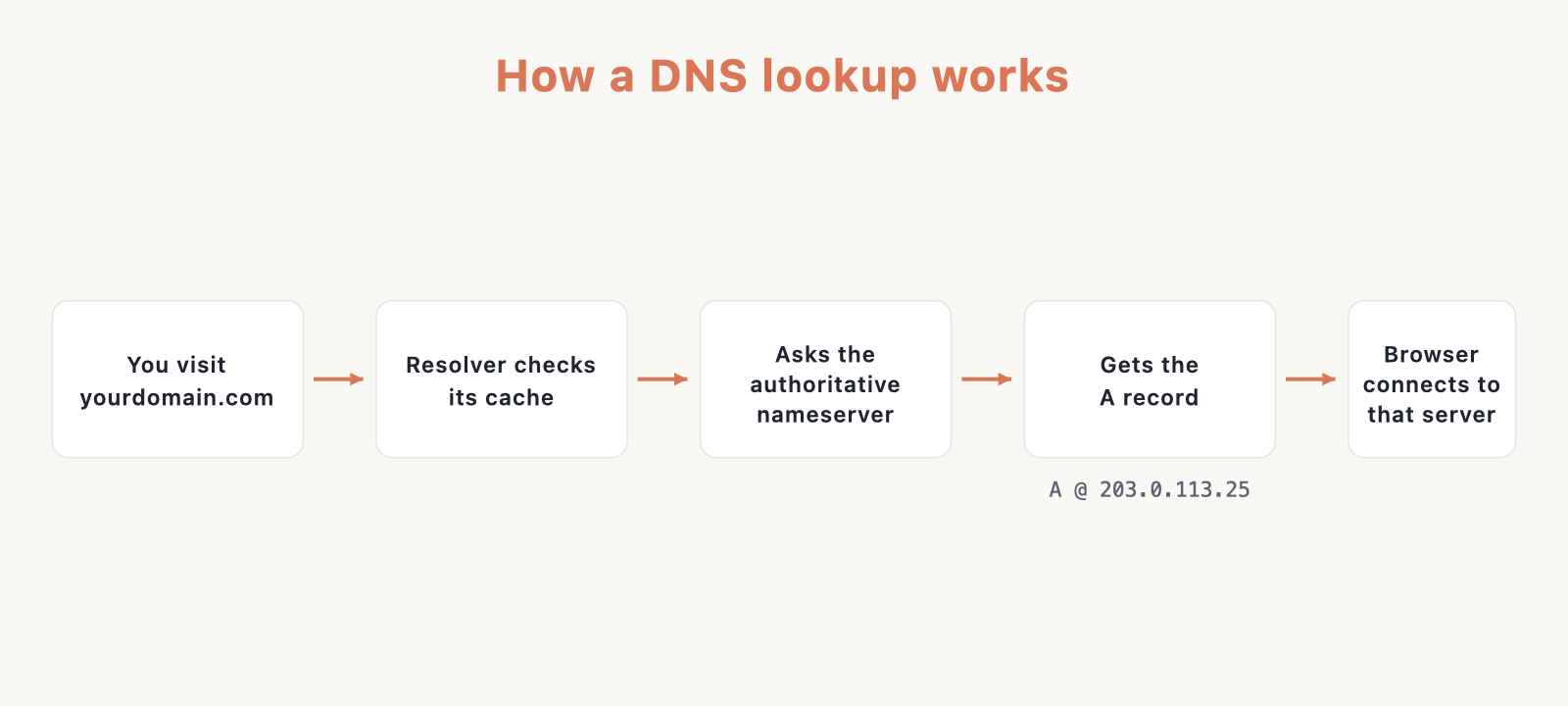
If you do not have a site yet, start with our guide on how to build a website, then come back here to wire up the DNS. Here is how a single lookup travels from a browser to the record that answers it.
DNS records cheat sheet
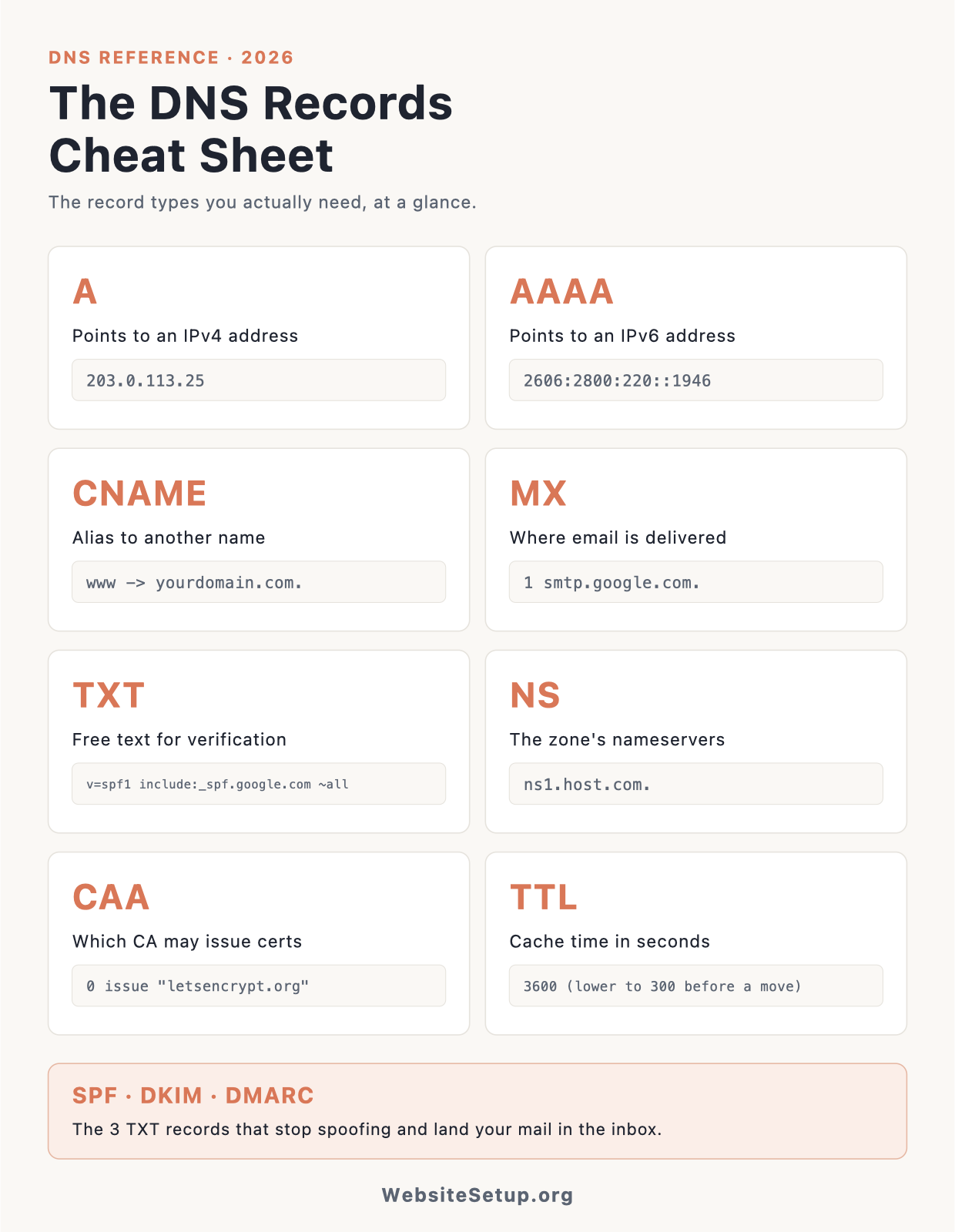
This table lists every common record type, what it does in plain English, an example value, and when you reach for it. Read it top to bottom once, then use it as a lookup while you edit your zone.
| Type | What it does | Example value | When you use it |
|---|---|---|---|
| A | Points a name to an IPv4 address | 203.0.113.25 |
Point a domain at a server |
| AAAA | Points a name to an IPv6 address | 2001:db8::1 |
Same as A, for IPv6 |
| CNAME | Aliases one name to another name | yourdomain.com. |
Point www or a subdomain elsewhere |
| MX | Names the mail servers for the domain | 1 smtp.google.com. |
Receive email |
| TXT | Holds free text for machines to read | v=spf1 include:_spf.google.com ~all |
Verification, SPF, DKIM, DMARC |
| NS | Names the authoritative servers for the zone | ns1.example-dns.com. |
Delegate DNS to a provider |
| SOA | Marks the start and settings of the zone | ns1... admin... serial |
Created for you automatically |
| PTR | Maps an IP back to a name (reverse) | mail.yourdomain.com. |
Reverse DNS, set by the IP owner |
| SRV | Points a service to a host and port | 10 5 5060 sip.example.com. |
VoIP, chat, and similar services |
| CAA | Says which CAs may issue certificates | 0 issue "letsencrypt.org" |
Lock down TLS certificate issuance |
| ALIAS/ANAME | CNAME-like behavior at the root/apex | target.host.com. |
Point a bare domain at a hostname |
Every DNS record type explained
A maps a name to an IPv4 address. It is the most common record you will ever touch. Example: A @ 203.0.113.25 sends your bare domain to that server.
AAAA does the same job as A but for IPv6 addresses, which look like 2001:db8::1. If your host gives you an IPv6 address, add an AAAA record alongside the A record.
CNAME is an alias: it says “this name is really that other name, go look it up.” Example: CNAME www yourdomain.com. makes www resolve to whatever your root domain resolves to. A CNAME points to a name, never an IP.
MX tells the world which servers accept mail for your domain, each with a priority number where lower wins. Example: MX @ 1 smtp.google.com. An MX must point to a real hostname, not to a CNAME.
TXT stores plain text that other systems read. It powers domain verification and all three big email records below. Example: TXT @ "hello from your domain".
SPF is a TXT record that lists who is allowed to send mail as your domain. Example: TXT @ v=spf1 include:_spf.google.com ~all. The ~all at the end softly fails everything not listed.
DKIM is a TXT record holding a public key that lets receivers check a cryptographic signature on your outgoing mail. It lives on a selector host such as google._domainkey.
DMARC is a TXT record at _dmarc that sets the policy for mail failing SPF or DKIM and asks for reports. Example: v=DMARC1; p=none; rua=mailto:dmarc@yourdomain.com.
NS records name the authoritative servers that hold your zone. They decide which provider actually answers DNS questions for your domain. Example: NS @ ns1.example-dns.com.
SOA is the “start of authority” record. It carries the primary nameserver, an admin contact, and timing values. Your provider creates and manages it, so you rarely edit it by hand.
PTR is reverse DNS: it maps an IP address back to a hostname. It is set by whoever controls the IP block, usually your host, not inside your normal zone. Mail servers check it for trust.
SRV points a named service to a host and port, with priority and weight. Example: SRV _sip._tcp 10 5 5060 sip.example.com. You will meet it with VoIP and chat setups.
CAA restricts which certificate authorities may issue TLS certificates for your domain. Example: CAA @ 0 issue "letsencrypt.org" allows only Let’s Encrypt.
ALIAS/ANAME is a provider feature that gives you CNAME-like behavior at the root of your domain, which a plain CNAME cannot do. Route 53, DNSimple, and NS1 call it ALIAS or ANAME.
TTL explained
TTL, or time to live, is the number of seconds a resolver is allowed to cache a record before it asks again. A common default is 3600, which is one hour. A higher TTL means faster lookups and fewer queries, but slower updates when you change something.
The practical move: about 24 hours before you migrate a host or change an IP, lower the TTL on the record to 300 (five minutes). Wait for the old, longer TTL to age out. When you flip the record, the change propagates in minutes instead of an hour. Once the dust settles, raise it back to 3600. If you run a CDN, our guide to speeding up your website covers how caching layers stack on top of DNS.
Practical recipes
(a) Point a domain to a host. Send the bare domain to your server’s IP with an A record, then send www to the domain with a CNAME.
A     @     203.0.113.25
CNAME www   yourdomain.com.
(b) The root/apex cannot be a CNAME. RFC 1034 forbids a CNAME from coexisting with the SOA and NS records that must live at the apex, so CNAME @ -> somewhere is illegal. The fix is an ALIAS or ANAME record (Route 53, DNSimple, NS1) or Cloudflare’s CNAME flattening, which resolves the target and serves an A record for you. One caveat: this does not let an MX point at a CNAME. MX still needs a real hostname.
ALIAS @   target.host.com.
# or, on Cloudflare, a "CNAME" @ that it flattens to an A
(c) Email deliverability with Google Workspace. Four records work together. MX receives your mail, SPF says who may send, DKIM signs each message, and DMARC sets policy and collects reports.
MX    @                1 smtp.google.com.
TXT   @                v=spf1 include:_spf.google.com ~all
TXT   google._domainkey  v=DKIM1; k=rsa; p=<key from Admin console>
TXT   _dmarc             v=DMARC1; p=none; rua=mailto:dmarc@yourdomain.com
Start DMARC at p=none so you only monitor, then move to quarantine, then to reject over a few weeks once the reports look clean.
(d) Verify domain ownership. Search Console, Workspace, and many other tools ask you to add a single TXT record they generate.
TXT @ google-site-verification=Abc123Xyz...
(e) Restrict certificate issuance. A CAA record tells CAs that only the ones you list may issue certificates for your domain.
CAA @ 0 issue "letsencrypt.org"
(f) Host migration without downtime. Lower the A record TTL ahead of time, cut over to the new IP, then restore the TTL.
# ~24h before: set TTL to 300 on
A   @   203.0.113.25
# at cutover: point A @ to the new IP
A   @   198.51.100.40
# after it settles: raise TTL back to 3600
Common DNS mistakes and gotchas
Propagation is not a fixed 24 to 48 hour timer. What you are really waiting on is the old TTL plus resolver caching around the world. Lowering the TTL before a change is the actual lever, not staring at a clock.
You may have only one SPF record per domain. Two separate v=spf1 TXT records produce a PermError and can break your mail. Merge them into one line with multiple include: tokens. SPF also has a hard limit of ten DNS lookups; stacking too many include: entries trips the same PermError, so trim senders you no longer use.
Remember the apex CNAME limitation from recipe (b), and reach for ALIAS/ANAME or flattening instead. PTR records are controlled by whoever owns the IP, which is your host, so you request reverse DNS from them rather than adding it to your own zone.
Watch the trailing dot. A fully qualified value ends in a dot, like yourdomain.com. Some editors treat a value without the dot as relative and quietly append your zone, turning mail.example.com into mail.example.com.yourdomain.com. On Cloudflare, also mind the cloud icon: an orange (proxied) record routes traffic through Cloudflare and hides your origin IP, while a grey (DNS-only) record just answers with the raw value.
Where you actually edit DNS
You edit records in the DNS panel at your domain registrar or your web host, wherever your nameservers point. Many hosts manage DNS for you and expose a simple editor, so for most site owners this is the easiest place to work. Budget-friendly hosts like Hostinger include a clean DNS zone editor, and so does Bluehost. If your host runs cPanel, records live in the Zone Editor; our beginner’s guide to cPanel walks through where to find it.
FAQ
How long does DNS propagation take? Usually minutes to a few hours, capped by the record’s old TTL and how long resolvers cache it. Lowering the TTL a day before a change is what makes it fast.
Why can’t I add a CNAME on my root domain? The apex already holds mandatory SOA and NS records, and a CNAME is not allowed to sit next to them. Use ALIAS/ANAME or Cloudflare CNAME flattening instead.
How many SPF records can I have? Exactly one. A second v=spf1 TXT record causes a PermError, so combine everything into a single record.
What TTL should I use? Use 3600 (one hour) for normal operation, and drop it to 300 about a day before any planned change, then raise it back afterward.
Download the DNS Records Cheat Sheet (PDF)
Want this on paper next to your keyboard? Grab the printable one-page reference with every record type, example values, and the practical recipes, then keep it handy the next time you touch a zone file.