
What is Markdown and why use it
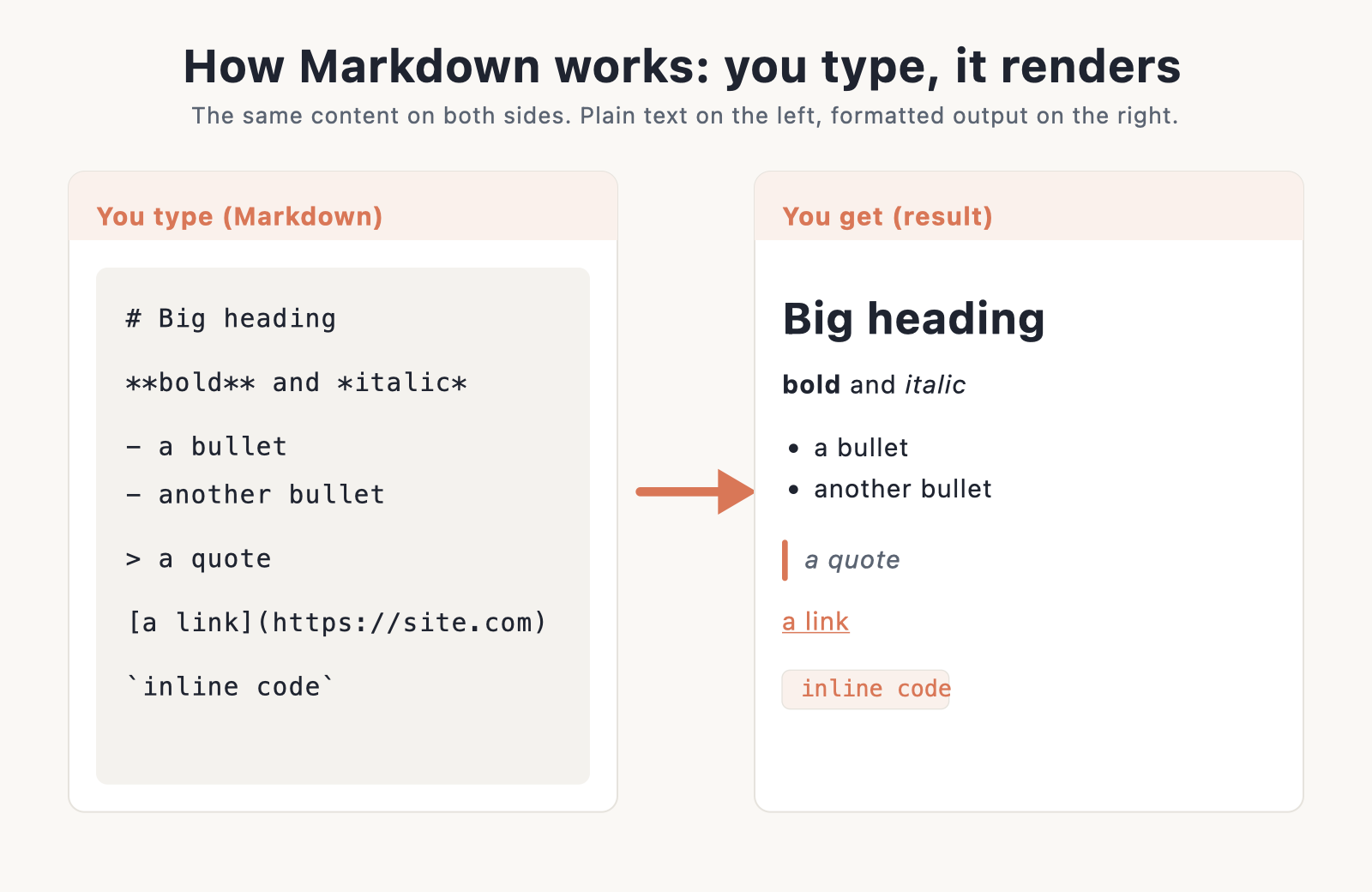
Markdown is a plain-text way to format writing. You add a few simple marks to ordinary text, and a parser turns those marks into HTML. Two asterisks around a word make it bold. A hash at the start of a line makes a heading. That is the whole idea.
The appeal is speed and portability. You never lift your hands off the keyboard to click a toolbar, and the file stays readable even before it renders. A Markdown document opens the same way in any text editor, on any operating system, ten years from now. Nothing is locked inside a proprietary format, and there is no vendor to depend on.
Markdown was created by John Gruber in 2004 with one goal: text that reads cleanly as-is, so you are never staring at a wall of tags. A heading looks like a heading. A list looks like a list. That readability is why the format spread so far. Once a tool speaks Markdown, you can move your writing in and out of it without reformatting anything by hand.
You will run into Markdown everywhere: README files on GitHub, notes in Obsidian and Notion, messages in Slack and Discord, and posts on static sites built with Hugo or Jekyll. Bloggers use it to draft fast. Developers use it to document code. If you are just getting a site online for the first time, start with our guide on how to create a website, then come back and use this sheet as your formatting reference.
Basic Markdown syntax
These elements work in nearly every Markdown tool, from the strictest parser to the friendliest note app. Learn this handful and you can format almost anything. The left column names the element, the middle shows exactly what you type, and the right shows what you get when it renders.
| Element | You type (Markdown) | You get (result) |
|---|---|---|
| Heading 1 | # Heading |
Level-1 heading |
| Heading 2 to 6 | ## Heading … ###### Heading |
Smaller headings, level 2 through 6 |
| Bold | **text** |
text |
| Italic | *text* |
text |
| Bold and italic | ***text*** |
text |
| Blockquote | > quote |
Quote block |
| Ordered list | 1. First |
Numbered list |
| Unordered list | - item |
Bulleted list |
| Nested list | - item (indent 2 to 4 spaces) |
Indented sub-list |
| Inline link | [text](https://url) |
text |
| Image |  |
Image |
| Inline code | `code` |
code |
| Horizontal rule | --- |
Horizontal line |
| Line break | two trailing spaces, or \ |
New line inside a paragraph |
| Paragraph | a blank line between blocks | Separate paragraphs |
Extended syntax (GitHub Flavored Markdown)
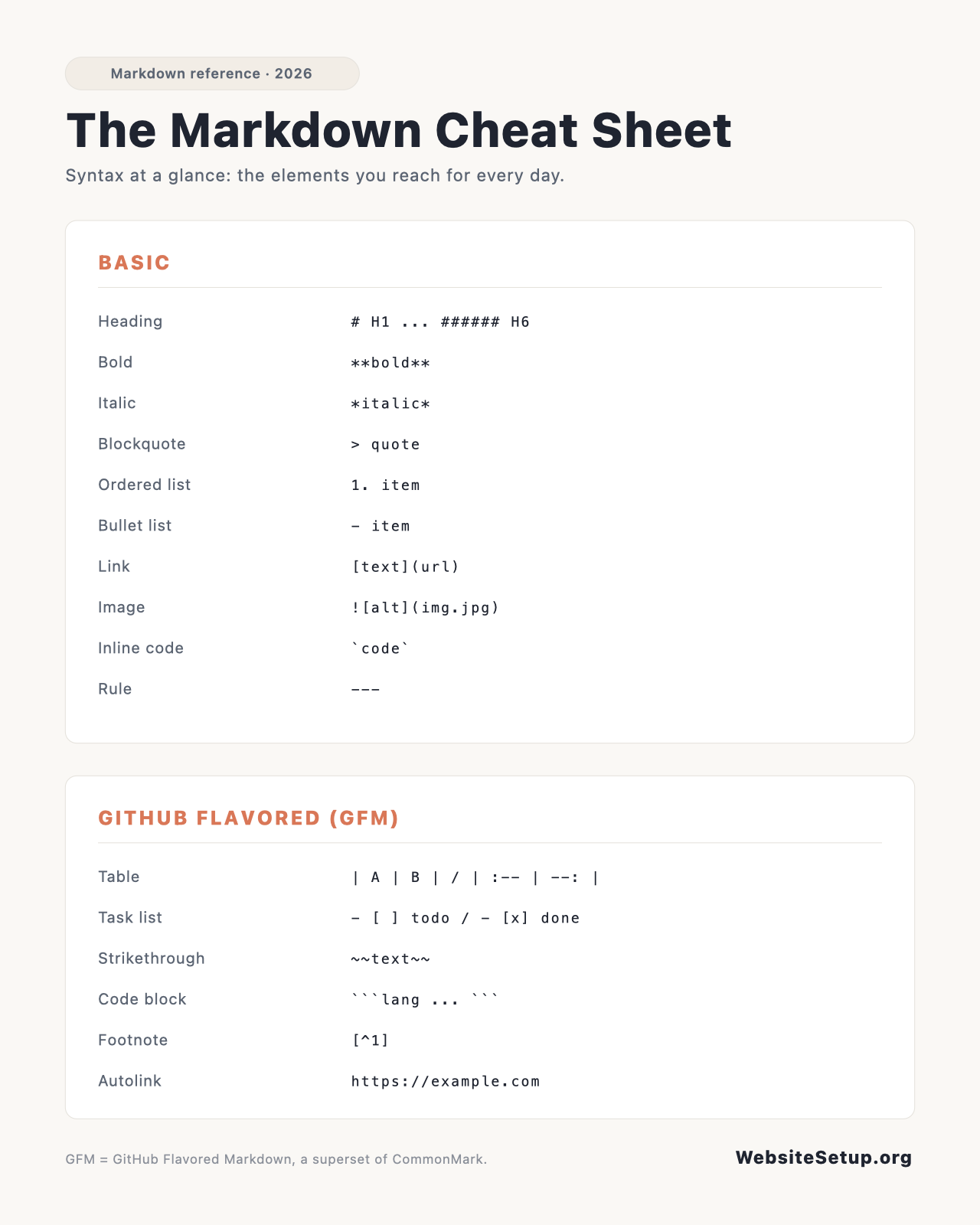
CommonMark is the base spec, but it leaves out a few things people want daily. GitHub Flavored Markdown, or GFM, adds them on top. These extras work on GitHub, GitLab, and most modern editors, though not in the strictest CommonMark-only parsers. If you write on GitHub or a modern static site, this is the set you will reach for most.
| Element | You type (Markdown) | You get (result) |
|---|---|---|
| Table with alignment | | Left | Center | Right | |
Aligned columns |
| Task list | - [ ] to do |
Checkboxes |
| Strikethrough | ~~text~~ |
|
| Fenced code block | ```js |
Highlighted code block |
| Footnote | Here is a note.[^1]
|
Linked footnote |
| Autolink | https://example.com |
Clickable bare URL |
| Reference link | [text][id]
|
text |
Markdown flavors
Markdown is not one single standard. It is a family of closely related dialects, and knowing which one you are in saves a lot of head-scratching.
CommonMark is the strict, precise spec. It defines exactly how headings, lists, emphasis, and links behave, but it does not include tables, task lists, strikethrough, or autolinks.
GFM (GitHub Flavored Markdown) is a strict superset of CommonMark. It keeps everything CommonMark does and adds tables, task lists, strikethrough, autolinks, and syntax highlighting. GFM powers READMEs on GitHub and GitLab, so it is the flavor most people mean when they say Markdown.
Chat tools support only a basic subset. Slack, Discord, and Reddit each pick and choose. One thing to watch: Slack uses *single asterisks* for bold, not the two asterisks the rest of the world uses.
Editors and site generators sit close to GFM. Obsidian and Notion are GFM-like, so most of what you know carries over. Static site generators such as Hugo, Jekyll, and Astro each ship a parser, and the exact feature set varies with the parser they use. The safe habit is simple: write in GFM, then preview in the tool that will actually publish your text before you commit to anything fancy.
Using Markdown in WordPress
Here is the part that trips up new bloggers: WordPress does not parse Markdown by default. Paste raw Markdown into a post and you will see literal asterisks and hashes, not formatted text.
You have a few ways to fix that. The Jetpack Markdown block runs your text through a CommonMark parser and converts it to proper HTML. The Jetpack Markdown module brings the same support to the classic editor for anyone still using it. A dedicated Markdown plugin does the job too, and several exist in the plugin directory. Pick one, turn it on, and your Markdown will render on save.
One point causes real confusion. The block editor has autocomplete shortcuts: type ## then a space and it becomes a heading, or start a line with - and it becomes a list. Those look like Markdown, but they are not. They only trigger live as you type, and nothing is stored as Markdown behind the scenes. It is a typing convenience, not a Markdown engine.
For a wider tour of the editor, keep our WordPress cheat sheet nearby. And if you are still setting things up, our walkthrough on how to start a blog covers the pieces around the writing.
Common gotchas and what breaks
Most Markdown frustration comes from a short list of edge cases. They are easy to fix once you know them, and they explain almost every moment when your text refuses to render the way you pictured it. Learn these once and you will stop guessing.
- A GFM table renders as raw pipes and dashes in a strict CommonMark renderer, since CommonMark has no table support. Check the flavor before you blame the syntax.
- Raw HTML is allowed in most Markdown, so you can drop in a tag when you need one. GFM strips dangerous tags for safety, so scripts and some attributes will not survive.
- Nested lists need consistent indentation, either 2 or 4 spaces. Mixing them, or using a stray tab, is the usual reason a sub-list refuses to nest.
- A hard line break needs two trailing spaces, which are invisible and easy to lose. The backslash break is safer because you can see it.
- Underscores in the middle of a word, as in
snake_case, can trigger unwanted italics in some parsers. Escape them with a backslash or wrap the whole thing in backticks. - Many parsers need a blank line before a list, heading, or blockquote. Without that gap, the block will not render and just merges into the paragraph above it.
Download the Markdown Cheat Sheet (PDF)
Want this reference off-screen? Grab the printable PDF version below. It fits on a couple of pages, so you can keep it beside your keyboard while you write, pin it to a wall, or paste it into a team wiki as a quick primer for new writers. Print it once and you will stop searching for the same three symbols every week.
Download the Markdown Cheat Sheet (PDF)
FAQ
Is Markdown the same everywhere?
No. Flavors differ. CommonMark is the strict base, chat tools use small subsets, and GFM is the common superset most people share. When in doubt, write GFM and test in your target tool.
Does WordPress support Markdown?
Not by default. Add the Jetpack Markdown block or module, or install a Markdown plugin. The editor’s typing shortcuts only mimic Markdown; they do not store it.
How do I make a table in Markdown?
Use the GFM pipe syntax. Separate cells with |, then add a --- separator row under the header. Add colons in that row to set column alignment.
How do I show a literal * or # without formatting?
Escape it with a backslash, so \* prints a plain asterisk, or wrap the character in backticks to treat it as inline code.