
What is Python
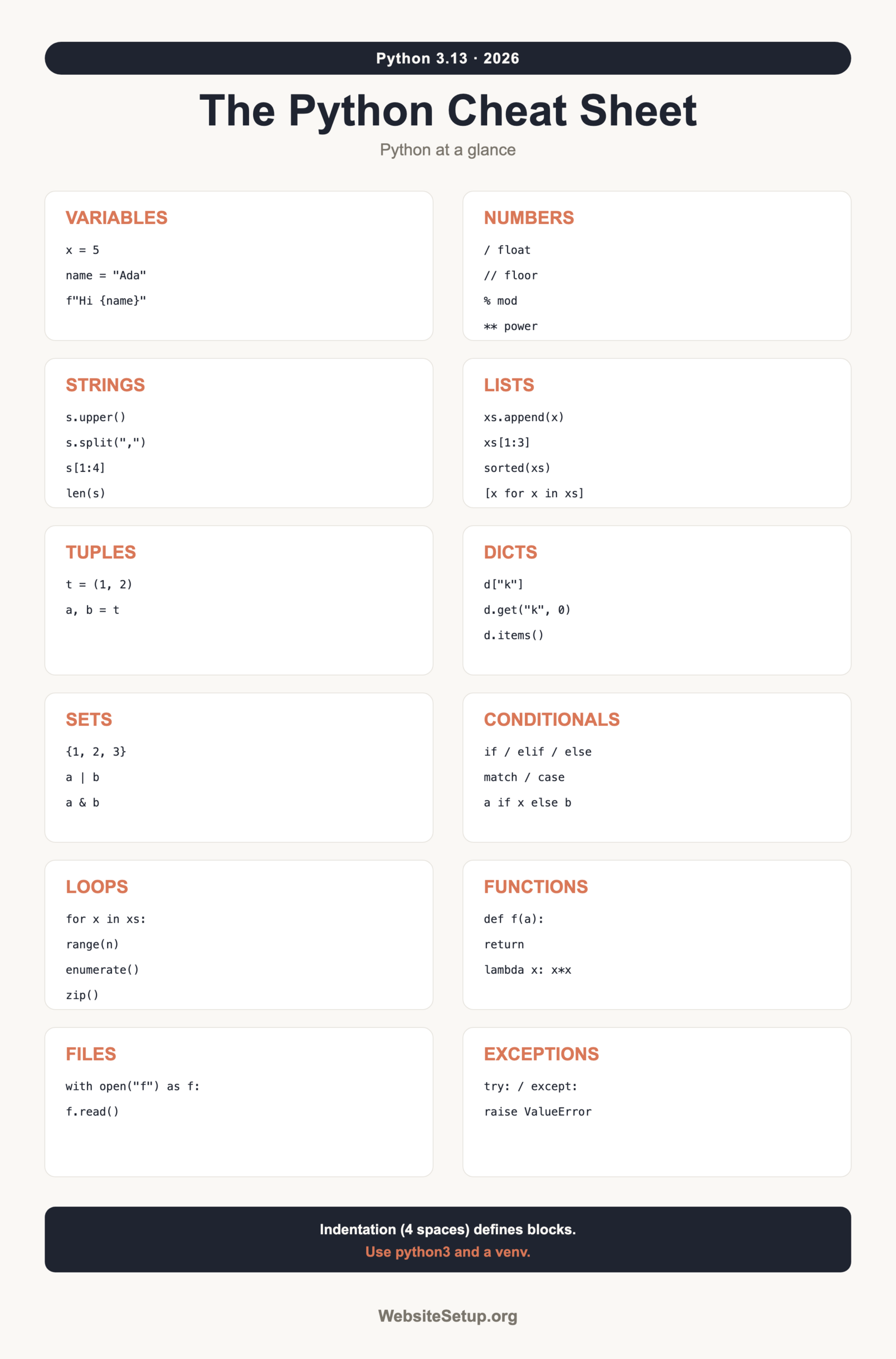
Python is a readable, general-purpose programming language used for web backends, data work, automation, and quick scripting. It reads almost like plain English, which is why so many people pick it first. Frameworks like Django and Flask run websites on it, while libraries like pandas power spreadsheets full of data, and a five-line script can rename a thousand files. The current stable release is Python 3.13, and 3.14 is the newest version rolling out in 2026. On most systems you run it with the python3 command, so use that throughout. One rule shapes everything: indentation defines code blocks. Instead of curly braces, Python uses four spaces of indentation to group statements together. Get that wrong and the program will not run, so this cheat sheet keeps every example correctly indented. If you are new to building things online and want the bigger picture first, here is a guide on how to create a website. Everything below is a fast reference you can scan, copy from, and come back to whenever a detail slips your mind.
Variables and data types
Python uses dynamic typing, so you never declare a type. You assign a value and the interpreter figures out the rest, which keeps early code short. A variable is just a name pointing at a value, and it can point at a different value or even a different type later. The core built-in types below cover almost every beginner need.
| Example | Type | Meaning |
|---|---|---|
x = 5 |
int | Whole number |
pi = 3.14 |
float | Decimal number |
name = "Ada" |
str | Text |
ok = True |
bool | True or False |
z = None |
NoneType | No value |
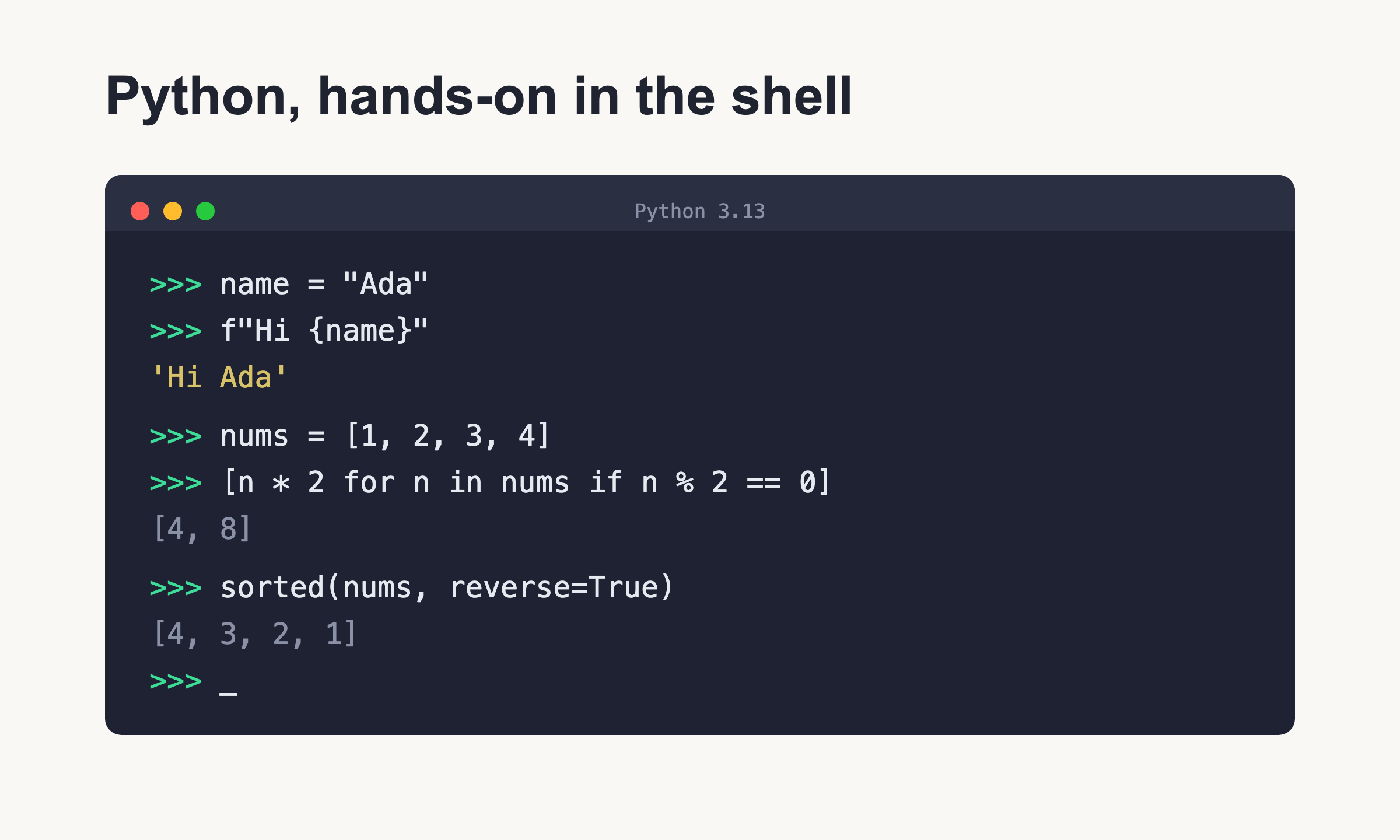
Check a type with type(x). To build strings from values, reach for f-strings: f"Hi {name}, x={x}". They read cleanly and handle any expression inside the braces.
Strings
Strings are text, and Python gives you a deep toolbox for slicing and reshaping them. Indexing starts at zero, and a slice like s[1:4] grabs the characters at positions 1, 2, and 3. All of the methods below return a new string; they never change the original, so you always assign the result to something if you want to keep it.
| Operation | Result |
|---|---|
len(s) |
Number of characters |
s[1:4] |
Slice from index 1 up to 4 |
s.upper() / s.lower() |
Change case |
s.strip() |
Trim surrounding whitespace |
s.split(",") |
Split into a list |
",".join(list) |
Join a list into text |
s.replace("a", "b") |
Swap substrings |
"b" in s |
Membership test |
f-strings pull it together: f"{name} has {len(name)} letters".
Numbers and math
Arithmetic works the way you expect, with one surprise for newcomers. Division with a single slash always returns a float, so 7 / 2 == 3.5, never 3. When you want a whole number, use floor division with a double slash. The table below lists the operators you will use daily, and Python handles very large integers without overflow, so you never have to worry about running out of digits.
| Operator | Meaning | Example |
|---|---|---|
+ - * / |
Add, subtract, multiply, divide | 7 / 2 == 3.5 |
// |
Floor division | 7 // 2 == 3 |
% |
Remainder (modulo) | 7 % 2 == 1 |
** |
Power | 2 ** 3 == 8 |
Convert and shape numbers with int(), float(), round(x, 2), and abs(). For more, import math unlocks math.sqrt(), math.pi, and much else.
Lists (mutable)
A list holds an ordered, changeable sequence of items. You can grow it, shrink it, sort it, and slice it. Lists are the workhorse container in Python.
xs = [1, 2, 3]
xs.append(4)        # add to end
xs.insert(0, 9)     # add at index 0
xs.remove(2)        # remove first matching value
last = xs.pop()     # remove and return last
n = len(xs)         # count items
part = xs[1:3]      # slice
xs.sort()           # sorts in place, returns None
new = sorted(xs)    # returns a new sorted list
found = 3 in xs     # membership test
doubled = [x * 2 for x in xs if x > 1]   # list comprehension
Remember the difference between xs.sort(), which changes the list itself, and sorted(xs), which leaves the original alone and hands back a fresh list.
Tuples (immutable)
A tuple looks like a list but cannot be changed after you create it. Use tuples for fixed groups of values, like a coordinate pair or a database row, where accidental edits would be a bug. Unpacking makes them pleasant to work with, and functions often return several values as a tuple.
t = (1, 2)
a, b = t        # unpacking: a is 1, b is 2
point = (10, 20)
x, y = point
Dictionaries
A dictionary maps keys to values, giving you fast lookups by name instead of position. This is where you store structured records, like a user with a name, an email, and an age. Keys are usually strings, and each key appears once. If you also work with tabular data, the SQL cheat sheet is a natural companion when your dictionaries start to mirror database rows.
d = {"a": 1, "b": 2}
d["a"]                 # 1
d.get("z", 0)          # 0, a safe default when key is missing
d.keys()               # all keys
d.values()             # all values
d.items()              # key/value pairs
"a" in d               # membership test
squared = {k: v * 2 for k, v in d.items()}   # dict comprehension
Use .get() whenever a key might not exist. Indexing a missing key with d["z"] raises a KeyError instead.
Sets
A set is an unordered collection of unique values. It is perfect for removing duplicates and for comparing groups with math-style operators.
s = {1, 2, 3}
s.add(4)
a = {1, 2, 3}
b = {3, 4, 5}
a | b      # union         -> {1, 2, 3, 4, 5}
a & b      # intersection  -> {3}
a - b      # difference     -> {1, 2}
Conditionals
Conditionals branch your code based on truth. Note the indentation: everything under an if line is grouped by four spaces.
if x > 10:
    print("big")
elif x > 0:
    print("small")
else:
    print("zero or less")
Combine tests with and, or, and not. For a one-liner, use the ternary form: y = "hi" if x else "lo". Python 3.10 and later also offer structured pattern matching:
match command:
    case "start":
        print("starting")
    case "stop":
        print("stopping")
    case _:
        print("unknown")
Loops
Loops repeat work so you do not have to write the same line twice. A for loop walks over any sequence, whether that is a list, a string, or a range of numbers, and range(), enumerate(), and zip() cover the common patterns. A while loop keeps going as long as its condition stays true. Again, indentation marks the loop body, and break and continue control the flow inside.
for i in range(3):        # 0, 1, 2
    print(i)

for i, v in enumerate(xs):    # index and value
    print(i, v)

for a, b in zip(xs, ys):      # pair two lists
    print(a, b)

while count < 5:
    count += 1
    if count == 3:
        continue          # skip to next iteration
    if count == 4:
        break             # exit the loop
Functions
Functions package reusable logic. They can take default arguments, accept any number of positional or keyword arguments, and carry type hints that document what goes in and out.
def greet(name: str, loud: bool = False) -> str:
    text = f"Hi {name}"
    return text.upper() if loud else text

def total(*args, **kwargs):
    return sum(args)

sq = lambda x: x * x      # small anonymous function
Type hints like name: str and -> str do not enforce anything at runtime, but they make code clearer and help editors catch mistakes early.
Comprehensions
Comprehensions build a new collection in one readable line, replacing a loop that would otherwise take three or four. There is a version for each container type, and you can add an if at the end to filter items as you go. Keep them short; if a comprehension gets hard to read, a plain loop is the better choice.
squares = [x * x for x in range(5)]              # list
lookup = {x: x * x for x in range(5)}            # dict
unique = {x % 3 for x in range(10)}              # set
evens = [x for x in range(20) if x % 2 == 0]     # with a filter
Files
Open files with a with block. It closes the file automatically, even if an error happens partway through. The mode string decides what you can do.
with open("f.txt", "r") as f:
    text = f.read()
    lines = f.readlines()

with open("f.txt", "w") as f:
    f.write("hello\n")
Modes: r reads, w overwrites, and a appends to the end without erasing what is there.
Exceptions
Exceptions let you handle errors instead of crashing. Wrap risky code in try, catch problems in except, run cleanup in finally, and raise your own when needed.
try:
    value = int("abc")
except ValueError as err:
    print("bad number:", err)
else:
    print("all good:", value)
finally:
    print("done")

raise ValueError("bad")
Common built-in errors you will meet: ValueError, KeyError, IndexError, TypeError, FileNotFoundError, and ZeroDivisionError.
Modules and imports
Modules are files of reusable code. Pull in the standard library or your own files with import. The name guard lets a file work both as a script and as an importable module.
import math
from math import pi

if __name__ == "__main__":
    print(pi)
Code under if __name__ == "__main__": runs only when you launch the file directly, not when another file imports it.
Classes (OOP basics)
A class is a blueprint for objects that bundle data and behavior together. The __init__ method sets up each new instance, and self refers to that instance inside every method. One class can inherit from another, reusing its methods and overriding only what needs to change. In the example below, Puppy borrows everything from Dog but gives speak its own version.
class Dog:
    def __init__(self, name):
        self.name = name

    def speak(self):
        return f"{self.name} says woof"

class Puppy(Dog):
    def speak(self):
        return f"{self.name} says yip"

d = Dog("Rex")
p = Puppy("Bit")
Handy built-ins and pip/venv
A handful of built-in functions show up constantly. Keep these close.
| Function | What it does |
|---|---|
print() |
Write output |
input() |
Read a line of text from the user |
len() |
Count items |
range() |
Generate a sequence of numbers |
enumerate() |
Loop with an index |
zip() |
Pair up sequences |
map() / filter() |
Transform or select items |
To add outside packages, use pip, and keep each project isolated with a virtual environment:
pip install requests
python3 -m venv .venv
source .venv/bin/activate
Mini-recipes
These short snippets solve tasks you hit early and often.
# Read a file line by line
with open("f.txt") as f:
    for line in f:
        print(line.strip())
# Filtered comprehension: keep the even numbers
evens = [n for n in range(20) if n % 2 == 0]
# Build a dict from two lists
keys = ["a", "b"]
vals = [1, 2]
d = dict(zip(keys, vals))
# A typed function
def add(a: int, b: int) -> int:
    return a + b
# Safe integer input
try:
    age = int(input("Age: "))
except ValueError:
    age = 0
Common gotchas
A few traps catch nearly every beginner. Knowing them up front saves hours.
- Indentation defines blocks. Use four spaces, and never mix tabs with spaces, or you get an
IndentationError. /is always float division. Use//when you want an integer floor.- Mutable default arguments are shared.
def f(x=[])reuses one list across calls. Writedef f(x=None), thenx = x or []inside. ==compares values;iscompares identity. Useisonly forNone.- f-strings need Python 3.6 or later;
match/caseneeds 3.10 or later. - Lists are mutable, tuples are not. Pick the one that fits.
- Use a venv per project so package versions never clash.
- Python 2 is dead. Always use
python3on 3.11 or newer.
Keep learning (related)
Bookmark this page and grab the printable version to keep at your desk. When you are ready to go further, these guides pick up where the cheat sheet leaves off. If backend languages are next on your list, the PHP cheat sheet pairs well with Python on the server. And if you want to turn these skills into a career path, read how to become a web developer.