
Website maintenance costs are a factor that many website owners don’t calculate. While it’s common knowledge that building a website takes money (though you can do it almost for free), not everyone is conscious of the fact that there are also ongoing expenses to keep them up and running.
Just like a bike, washing machine, or other long-time investments, you need to put in some effort and occasional expenses to keep websites running smoothly. Otherwise, they will deteriorate over time.
To avoid that, in this post, we will give you a full primer on website maintenance costs for 2026. We will cover estimated expenses for different types of websites, a detailed breakdown of every cost factor, guidance on DIY vs. professional maintenance, and a sample budget for a small business website.
Website Maintenance Costs by Website Type
Before we dig into the details, here’s a quick overview of what you can expect to pay per month depending on the type of website you run. These ranges include hosting, domain renewal, basic security, and routine upkeep – but not major marketing spend.
| Website Type | Monthly Maintenance Cost | Annual Estimate |
|---|---|---|
| Personal Blog | $5–$30/month | $60–$360 |
| Small Business Website | $30–$250/month | $360–$3,000 |
| Mid-Size Business/Marketing Site | $250–$750/month | $3,000–$9,000 |
| Ecommerce Website | $500–$2,500/month | $6,000–$30,000 |
| Large Corporate/Enterprise Site | $1,000–$5,000+/month | $12,000–$60,000+ |
The exact cost depends on your site’s complexity, the number of pages and features, your traffic volume, and whether you handle maintenance yourself or hire someone. We will break down all of these factors below.
9 Website Maintenance Costs
The maintenance costs below represent the most common expense areas for 2026. To help you understand how they come together, let’s look at each one in detail.
1. Domain Renewal ($10-$25/year)
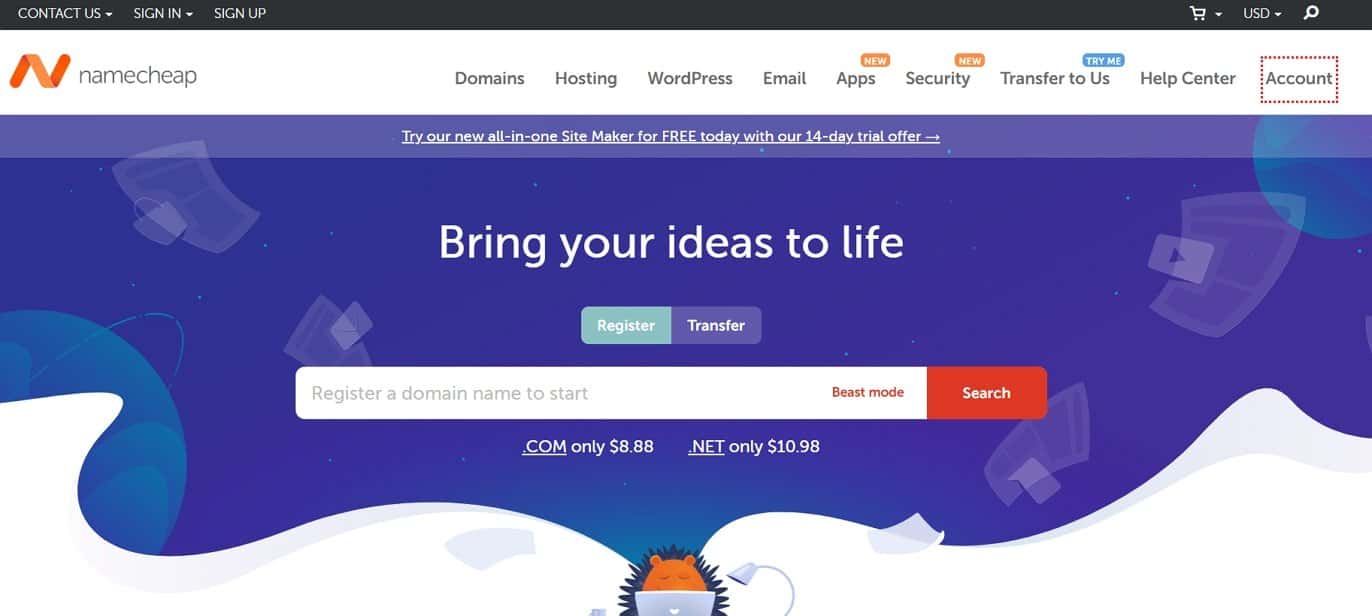
Every website with any professional purpose needs a domain. While you can also have a free website on a subdomain, this isn’t suitable for anything other than hobby websites.
How much you pay for your domain name per year depends on your domain registrar and the domain ending you choose. In 2026, most standard domains (like .com or .net) cost between $10 and $25 per year to renew. Some extensions like .io or .store may cost more, and premium domains can run significantly higher – but for a typical business domain, this range is what you should expect.
For added security, consider domain privacy protection, which keeps your personal information out of public WHOIS databases. This typically costs $2–$15 per year, though some registrars include it for free.
Here is a list of places where you can register a domain name.
2. Web Hosting or Website Builder ($5-$75/month)
Sites of different sizes and types have different hosting needs. Additional features and performance mean higher pricing. Here’s a rough overview for 2026:
- Small to medium blog – $5-$20/month (Check our list of the cheapest hosting services to find the right one).
- Medium to large blog – $20-$50/month upon renewal
- Small to medium ecommerce website – $20-$60/month
- Medium to large ecommerce site – $60-$500/month
The type of hosting matters too. Shared hosting is the most affordable and works well for small sites. VPS and cloud hosting offer more resources and reliability for growing sites, typically running $30-$150/month. Managed hosting, where the provider handles updates, security, and backups for you, usually starts at $25/month and can exceed $300/month for high-traffic sites.
Also, make sure to get a provider that lets you create email addresses with your domain for free. Otherwise, you might have to pay another $2–$20/month for third-party mail service.
Alternatively, if you use a website builder instead, the prices will be somewhat similar or higher.
3. SSL Certificate ($0-$200/year)
An SSL certificate encrypts data between your website and your visitors’ browsers. It’s the reason you see the padlock icon in the address bar – and it’s essential for any site that handles logins, contact forms, or payment information.
The good news: most reputable hosting providers now include a free SSL certificate with their plans. For the vast majority of small to medium websites, a free SSL works perfectly fine.
However, if you need advanced features like extended validation (which displays your company name in the browser bar) or wildcard coverage for multiple subdomains, paid SSL certificates can cost anywhere from $10 to $200 per year. Most small business owners won’t need to pay for one separately.
4. Plugins and Extensions ($0-$500/year)
If your site runs on WordPress or another content management system (CMS), plugins and extensions add functionality that doesn’t come built-in – things like contact forms, SEO tools, security scanners, backup systems, and page builders.
Many useful plugins are free. However, premium versions typically offer better features, regular updates, and dedicated support. Individual premium plugins usually cost between $30 and $200 per year, and if you’re running several, the total can add up to $100–$500 per year.
A few tips to keep plugin costs under control:
- Start with free plugins and only upgrade when you genuinely need premium features.
- Only install plugins you actually use – unused plugins can slow down your site and create security vulnerabilities.
- Review your plugins quarterly and remove any that are outdated or redundant.
5. Content ($25-$60/hour)
Content is important for marketing reasons, to show off your expertise, and gain visitors from search engines. It’s also part of website maintenance and can cost a pretty penny.
Of course, if you write your content yourself, the only expense is time. However, in most cases, at some point, you will want to outsource at least part of your content creation, usually to a freelance writer.
Rates for competent writers in 2026 start at around $0.10-$0.15/word, with most intermediate to advanced freelance writers charging between $0.10 and $1.00 per word. The average hourly pay for freelance writers is roughly $28-$35/hour, with top-tier writers charging $51 or more. At four 2,000-word posts per month, you can expect to budget anywhere from $1,000 to $4,000+ depending on the writer’s experience and your niche. However, the sky’s the limit – top specialists command premium rates, and how much content you publish each month depends entirely on your site and strategy.
6. Design Updates ($40-$90/hour)
When talking about design updates, we don’t mean a complete overhaul of your website design. Instead, we talk about continuous design work: creating featured images for blog posts, infographics, sales banners, header or product images, social media graphics, etc.
Of course, you can do some of that yourself. There are lots of web design tools and other software out there to make it easier. Some of them are even free.
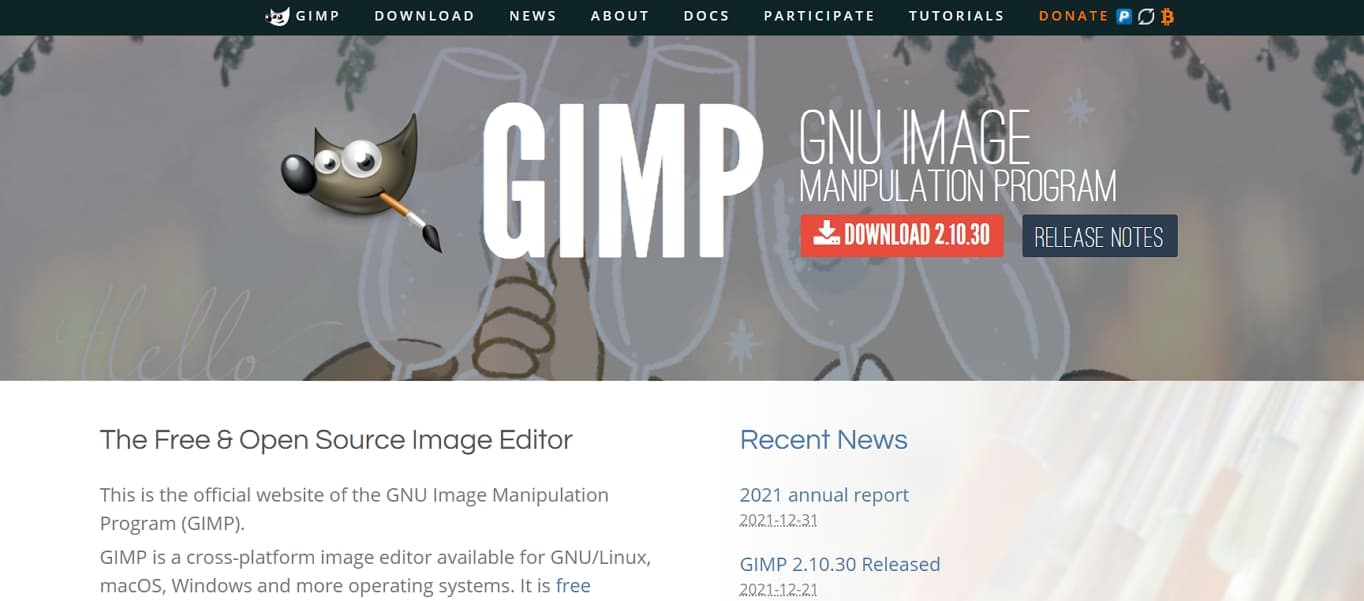
However, if you don’t trust your sense of design (no shame in that), your best bet is to hire a professional. For 2026, entry-level freelance graphic designers start around $25-$45/hour, while mid-level designers typically charge $30-$50/hour. Senior and specialized designers command $50-$150/hour, with the overall range running from $20 to $150/hour depending on experience and location. As a rule of thumb, budget at least $40-$50/hour if you want reliably polished results.
7. Tech/Developer Support ($50-$150/hour)
This, again, is a matter of how much you do yourself, how much you rely on others, and how much work is necessary on your site. It’s most likely a good idea to hire someone for bigger issues like broken contact forms, shopping carts, or security vulnerabilities.
For occasional work in 2026, freelance web developers typically charge between $30 and $200/hour, with most US-based developers averaging around $45-$80/hour depending on experience and specialization. There are also website maintenance services with fixed monthly plans. Basic plans covering essential updates, security, and backups start around $50-$150/month, while small to medium eCommerce sites more realistically budget $100-$500/month. When technical maintenance becomes a full-time job on your site, you can expect to add an appropriate salary to your website maintenance costs.
8. Security and Backups ($0-$300/month)
Website security is not optional. A hacked site can damage your reputation, lose customer data, and cost far more to fix after the fact than to prevent in the first place.
At the basic level, keeping your CMS, plugins, and themes updated is free and goes a long way toward preventing vulnerabilities. You should also ensure your hosting provider runs automatic daily backups – many do at no extra cost.
For additional protection, premium security tools and monitoring services can cost anywhere from $5 to $300/month, depending on the level of coverage. These typically include malware scanning, firewalls, brute-force protection, and real-time monitoring. For most small to medium sites, a security plugin plus your host’s built-in backups will be sufficient.
9. Marketing
Marketing and promoting your website is crucial for its success. Without anyone knowing about its existence, it’s hard to build an audience, sell products, or however else you are planning to monetize your site.
At the same time, there are many ways to generate website traffic, some of them free. So, it’s hard to put an exact number on how much this part of website maintenance costs.
Cost factors can include email marketing tools, Facebook ads, Google ads, hiring an SEO or social media specialist, content marketing platforms, premium SEO tools (like Ahrefs or Semrush, which can run $99-$500+/month), and social media management.
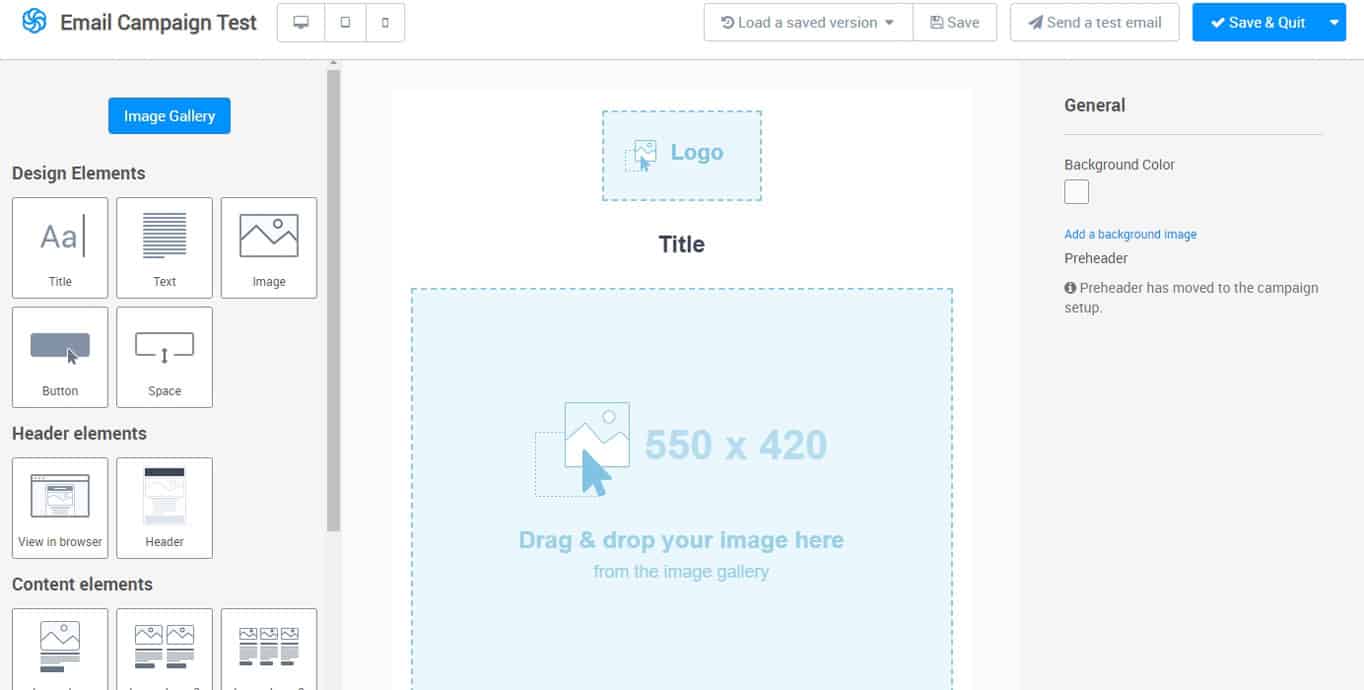
The amount of money you can spend on marketing is theoretically indefinite. However, it needs to be proportionate to your business. As long as you are earning more money than you are spending, things are going well. Just make sure to budget for it appropriately.
If you’re just starting out, begin with basic SEO and content marketing (which can be free or very low cost), then scale into paid advertising as your revenue grows.
DIY vs. Hiring a Professional
One of the biggest decisions that affects your maintenance budget is whether you handle everything yourself or hire someone to do it. Both approaches have trade-offs.
Doing It Yourself
If you’re comfortable with basic tech tasks, you can handle most maintenance on your own – especially for smaller sites. Updating WordPress, installing plugin updates, creating backups, and writing content are all things you can learn with a bit of practice.
The DIY approach keeps costs to a bare minimum. You’ll mostly just pay for hosting, your domain, and any premium tools you choose. For a personal blog or very small business site, this can bring total maintenance costs down to under $100/year.
The downside? It takes time, and if something goes seriously wrong (a security breach, a broken site after an update), you may end up paying more for emergency fixes than you would have spent on preventive professional maintenance.
Hiring a Freelancer or Agency
For business-critical websites or sites you simply don’t have time to manage, hiring a professional is usually worth the investment. You have two main options:
- Freelancers – Typically charge $35-$150/hour depending on experience. More flexible and usually more affordable than agencies, but you’re relying on one person.
- Agencies – Offer comprehensive maintenance packages, often ranging from $200-$2,500/month or more. You get a team handling updates, security, design, and troubleshooting under one plan.
Many agencies and freelancers offer monthly maintenance retainers, which is often more cost-effective than paying hourly for ad-hoc work. If your site generates meaningful revenue, the peace of mind alone is usually worth the cost.
How Often Should You Maintain Your Website?
There’s no single schedule that works for every site, but regular maintenance prevents small issues from snowballing into expensive problems. Here’s a general guideline:
- Daily/Weekly – Check that automatic backups are running. Apply critical security patches as soon as they’re released. Monitor uptime.
- Monthly – Update your CMS, plugins, and themes. Run a security scan. Check for broken links. Review your site’s loading speed.
- Quarterly – Audit your content for accuracy and freshness. Review analytics and SEO performance. Test forms, checkout flows, and key user paths. Remove unused plugins or themes.
- Annually – Renew your domain and hosting. Review your overall maintenance plan and budget. Consider a design refresh if your site looks dated.
The more traffic and revenue your site generates, the more frequently you should be checking in. For most small business sites, a monthly maintenance routine is a solid minimum.
Example: Small Business Website Maintenance Costs
Now, you may be thinking, “that’s all well and good but how do I apply this to my website?”. No problem. Here’s an updated example we’ve put together for a small restaurant business in 2026 (we made sure to make it as affordable as possible). While other website types may need different maintenance costs, this example can at least help you estimate yours.
Cost Breakdown

- Domain: $1.50/month ($18/year, including domain privacy)
- Hosting: $5/month (basic shared hosting)
- SSL certificate: Free (included with hosting)
- Email server: Free (included in hosting)
- General updates: Free (do-it-yourself)
- Plugins: Free (using free versions of essential plugins)
- Email newsletter: Free (Mailchimp’s free plan still exists in 2026, but it’s now limited to 250 contacts and 500 sends/month with no automation – practical only for very small or brand-new lists. For growing stores, paid plans start at $13/month, or consider alternatives like MailerLite which offer more generous free tiers)
- Security: Free (basic security plugin + host backups)
- Total (without marketing): $78/year
Under $80 per year isn’t too bad, right? That’s the baseline you’re looking at to maintain a small restaurant website in 2026 if you handle updates yourself.
If you also want to invest in marketing through email, Facebook ads, Google ads, and social media, you may need to add $1,500-$3,000/month to the total cost, depending on your advertising budget, competition level, and business goals.
And if you’d rather hire a freelancer or agency to handle the technical maintenance for you, expect to add $75-$250/month on top of the base costs above.
FAQ: Website Maintenance Costs
What is the minimum cost to maintain a website?
If you do everything yourself, a simple website can be maintained for as little as $50-$100 per year. That covers a domain name and basic shared hosting. Many essential tools (SSL, backups, basic plugins) are often included for free with your hosting plan.
How much does it cost to hire someone to maintain a website?
Freelancers typically charge $35-$150/hour for website maintenance work. Agencies usually offer monthly maintenance plans starting at $200-$500/month for small sites, going up to $2,500/month or more for larger or more complex websites.
How often does a website need maintenance?
At minimum, you should perform maintenance monthly – updating software, checking for broken links, and running security scans. Security patches and backups should be handled daily or weekly, ideally on autopilot. Larger audits (content, SEO, performance) are best done quarterly.
Can I maintain my website myself?
Yes, especially if you have a small site built on WordPress or a website builder. Routine tasks like updating plugins, creating backups, and adding content are manageable for beginners. However, for business-critical sites or complex technical issues, hiring a professional is usually the safer choice.
Website Maintenance Costs Are a Tricky Topic
The cost of maintaining a website is not always at the forefront of the owner’s mind. Often, they are more focused on how much it costs to first create it. Yet, you need to be aware of what to expect so you can budget for it.
By now, you should be able to estimate the maintenance costs for your website well enough for 2026 and beyond. Whether you’re running a personal blog for under $100/year or managing a growing ecommerce store, the key is to plan ahead, stay on top of regular updates, and invest in professional help when it makes sense. That way, you won’t get any unpleasant surprises.
