
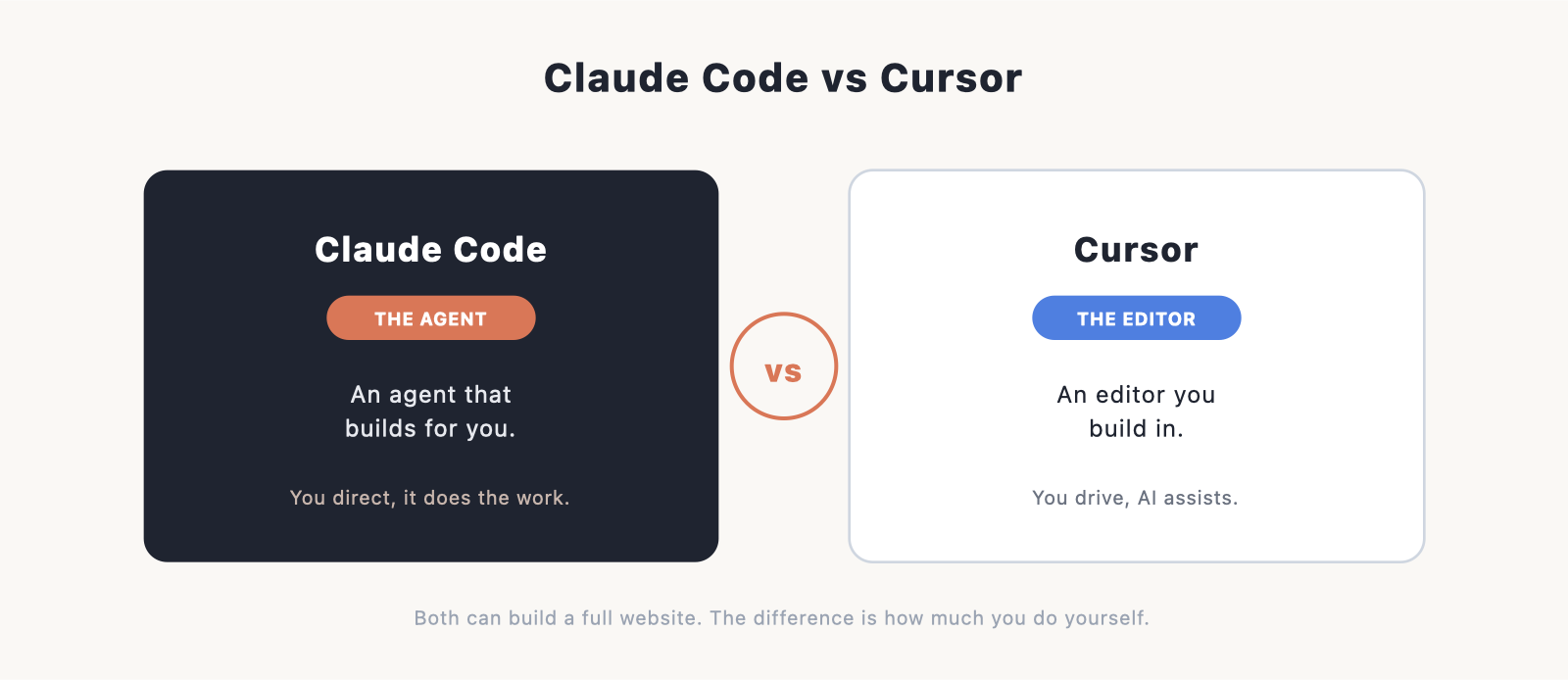
Claude Code and Cursor are two of the most talked-about AI coding tools, and if you’re deciding which to use to build a website, the honest answer is that they’re built for slightly different people. Cursor is an AI-powered code editor you work inside. Claude Code is an AI agent that does the work for you. This guide explains the difference in plain terms and helps you pick.
If you’re brand new to all of this, our main Claude Code guide and our overview of how to make a website are better starting points. Come here once you’re choosing between these two specific tools.
The short answer
If you don’t think of yourself as a coder and you want something to build the site for you, Claude Code is the easier choice, especially its desktop app. If you’re comfortable in a code editor and want AI helping you as you type and edit, Cursor will feel more natural. Plenty of developers use both. The rest of this guide explains why.
What each one is
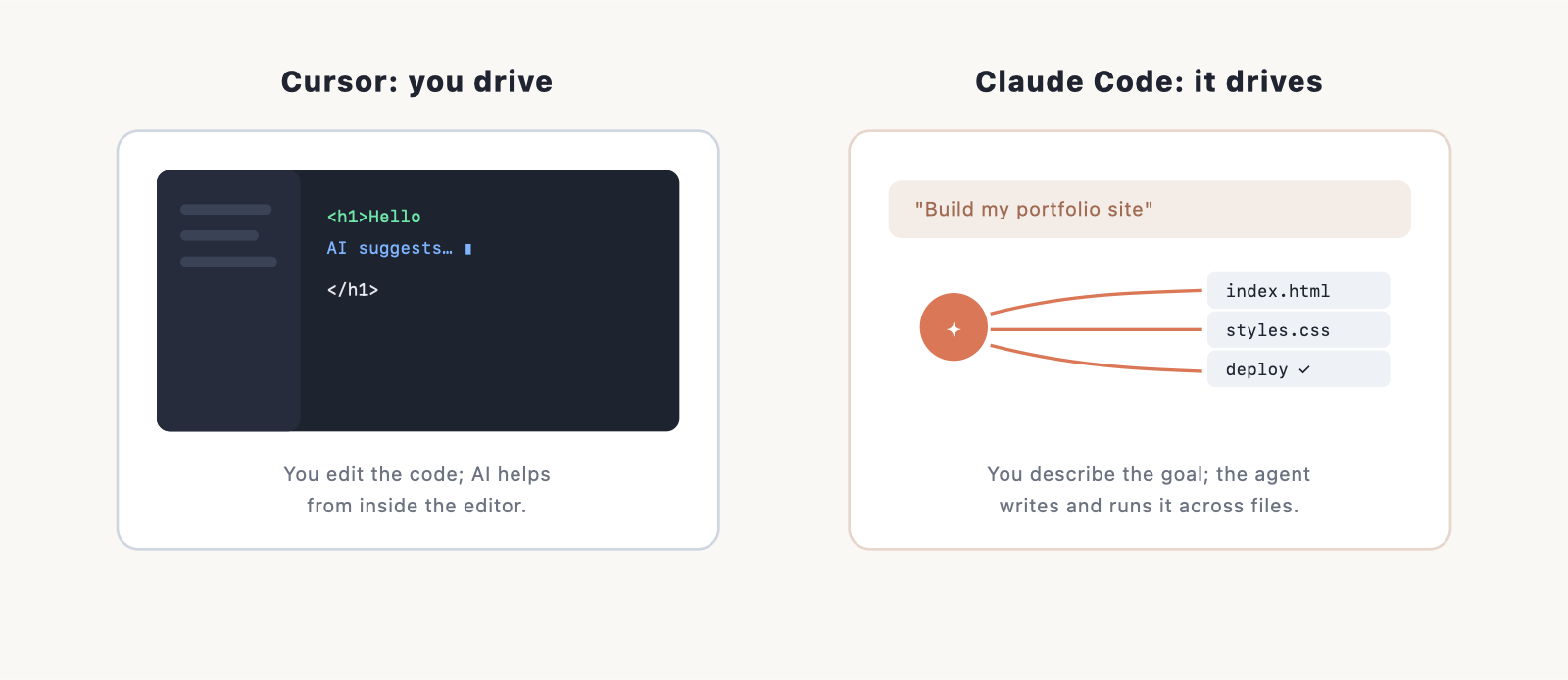
Cursor is a code editor. Specifically, it’s a version of VS Code, the most popular editor in the world, with AI built deeply into it. You open your project, you see your files and your code, and the AI helps from inside: finishing lines as you type, answering questions about your code, and making multi-file changes when you ask. If you’ve used VS Code before, Cursor feels like home with a very capable assistant added.
Claude Code is an agent. You describe what you want in plain language, and it goes and does it: reading your files, writing new ones, running the commands it needs, and fixing its own errors along the way. You don’t have to drive an editor, because it does the work and shows you the result. It runs as a friendly desktop app, in your browser, in the terminal, or as an extension inside an editor.
The simplest way to hold the difference in your head: Cursor is the AI riding shotgun while you drive. Claude Code is the AI driving while you direct.
How they compare
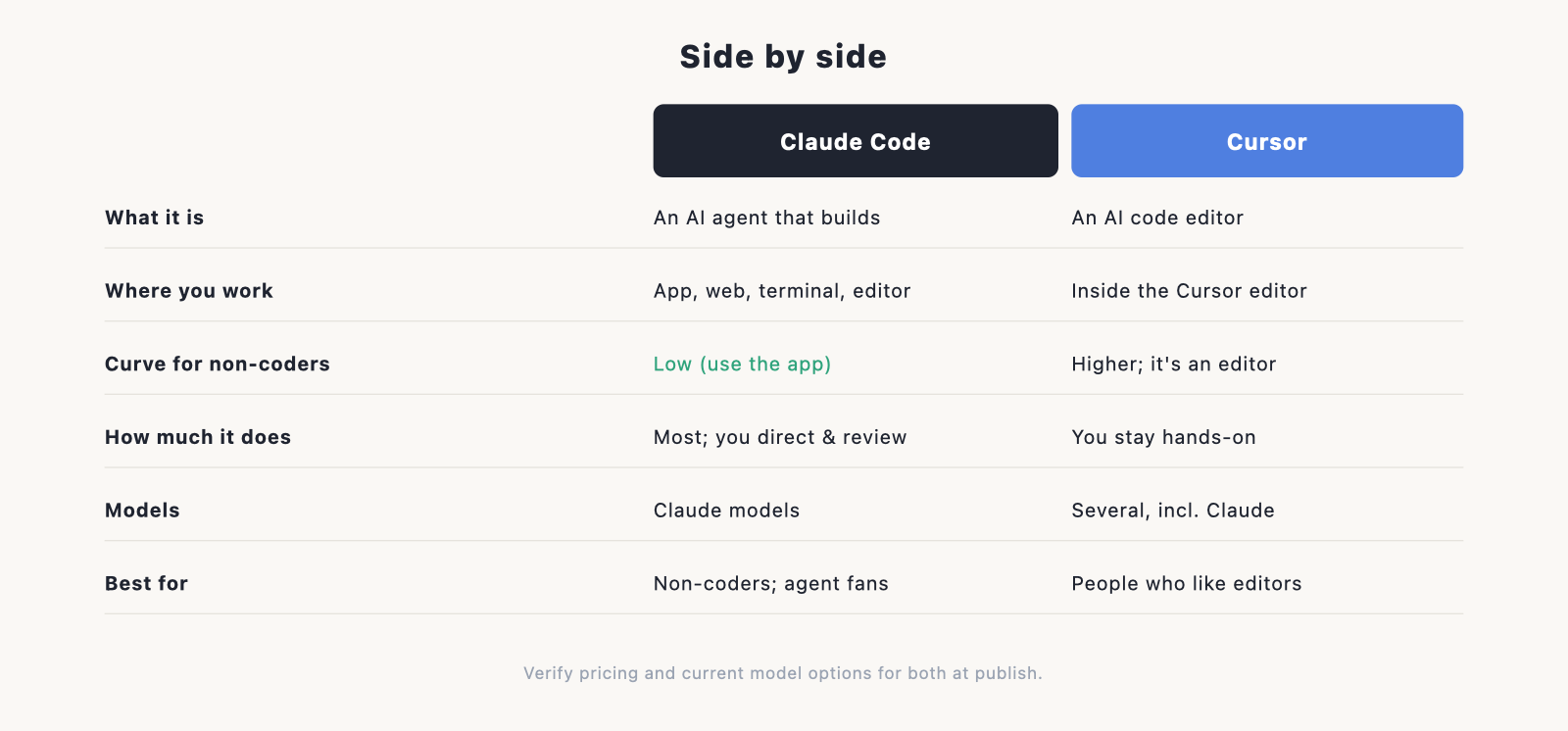
Both are excellent, and both can build a complete website. They differ in how much you do versus how much the tool does, and in how much you need to know going in.
| Claude Code | Cursor | |
|---|---|---|
| What it is | An AI agent that builds | An AI code editor |
| Where you work | App, web, terminal, or in an editor | Inside the Cursor editor |
| Learning curve for non-coders | Low, especially the app | Higher; it’s still an editor |
| How much it does for you | Most of it; you direct and review | You stay hands-on while AI assists |
| Feels familiar if you | Like describing what you want | Have used VS Code |
| Models | Anthropic’s Claude models | Several, including Claude (you choose) |
| Best for | Non-coders, and devs who want an agent | People who like working in an editor |
Which should you choose?
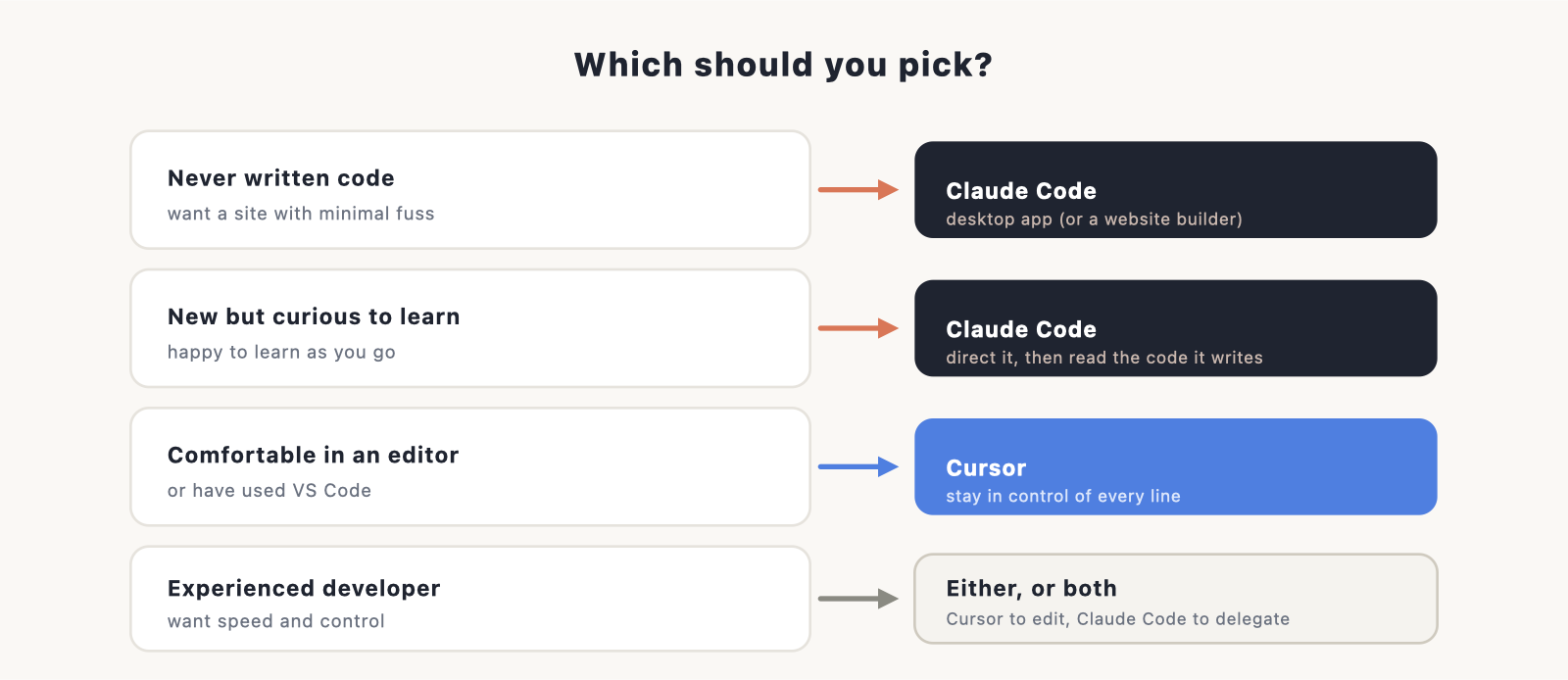
The right pick depends less on which tool is “better” and more on who you are.
You’ve never written code and want a site with minimal fuss. Go with Claude Code, and use the desktop app so you never touch a terminal. You describe the site, review what it builds, and publish. (If you’d rather not see code at all, even at arm’s length, a website builder is worth considering instead.)
You’re new to code but curious to learn. Claude Code is still the gentler start, because you’re directing rather than editing. As you get comfortable, you can peek at the code it writes and learn from it.
You already work in a code editor, or want to. Cursor will feel natural and keep you in control of every line. If you’ve used VS Code, the jump is small. New to editors entirely? Our roundup of the best IDE software gives context, and Cursor sits in that world.
You’re an experienced developer. You’ll likely reach for both, and that’s the common setup: Cursor for hands-on editing and quick changes, Claude Code for handing off larger, multi-step tasks to an agent.
Pricing
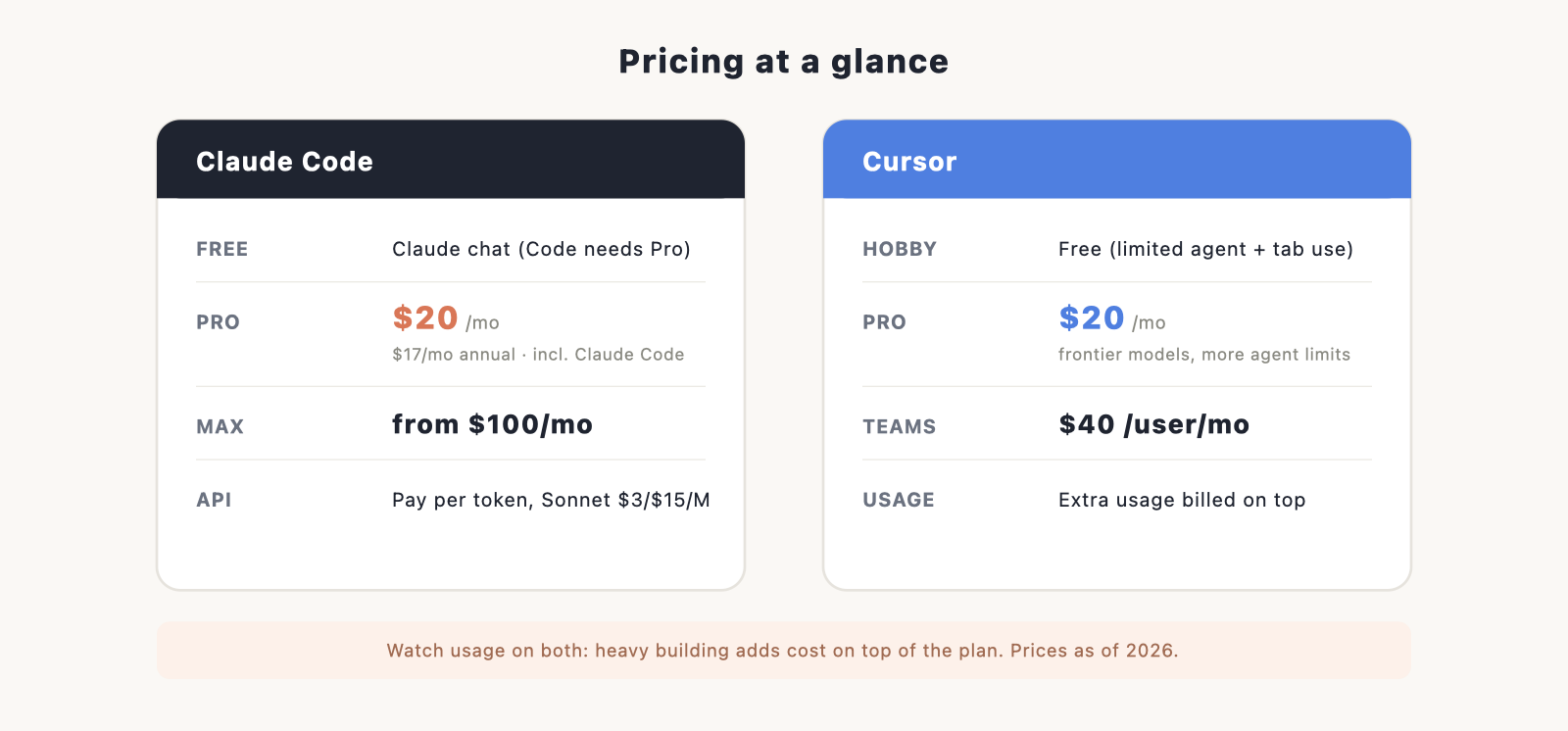
Both have a free tier and paid plans, and with either one, heavy use can cost more on top of the subscription.
- Claude Code comes with Claude Pro at $20 a month ($17 billed annually), with Max from $100 a month for more usage. You can also pay per token through the API.
- Cursor has a free Hobby tier, Pro at $20 a month, and Teams at $40 per user a month. Past the included limits, Cursor adds usage-based charges for extra agent requests and frontier-model use.
The number to watch with both is usage on top of the plan. With Claude Code, Pro’s token allowance is fairly tight for heavy building, Max is much more generous (though even Max can run out in long sessions), and the API or any overage is metered per token and climbs fast. Your model choice changes the rate too: Haiku is cheapest (about $1/$5 per million tokens), Sonnet is the balanced default ($3/$15), and Opus is the most capable and dearest ($5/$25). Cursor likewise meters extra agent and frontier-model use beyond its limits. Check current pricing before you commit.
For a fuller picture of what building a site costs across different routes, our how much does a website cost guide compares AI tools, builders, and hiring.
Can you use both?
Yes, and many people do. They’re not really competitors so much as different tools for different moments. A common workflow is to write and tweak code in Cursor, then bring in Claude Code when you want an agent to take on a bigger job across many files. There’s no rule that you must choose one forever.
Verdict
For most people coming to this from “I want to build a website,” Claude Code is the easier path, because it does more of the work and the desktop app removes the technical barrier. Cursor is the better fit if you enjoy being in an editor and want fine control as you build, or you already use VS Code. Neither is a wrong choice, and you can switch or combine them later.
Ready to start? Our main Claude Code guide walks through building and launching a site, and the install guide gets you set up in about ten minutes.
Frequently asked questions
Is Claude Code or Cursor better for beginners? Claude Code, especially the desktop app. You describe what you want instead of editing code in an editor, which is a gentler start.
Do Claude Code and Cursor use the same AI? They can. Cursor lets you choose among several models, including Claude. Claude Code uses Anthropic’s Claude models. (Verify current model options at publish.)
Is Cursor just VS Code? Cursor is built on VS Code, with AI features added throughout. If you know VS Code, you’ll find it familiar.
Can I build a whole website with either one? Yes. Both can build and edit a complete site. The difference is how much you do yourself versus how much the tool does for you.
Which is cheaper? Their entry plans are close: Cursor Pro is $20 a month, and Claude Code comes with Claude Pro at $20 a month ($17 annually). Real cost comes down to usage, since both charge more for heavy building, through Cursor’s usage-based billing or Claude’s Max tier and API. See our website cost guide for context.
