
For most of the last twenty years there were two ways to get a website online: code it yourself, or pay someone (or some software) to do it for you. Claude Code adds a third. It’s an AI tool that writes, edits, and runs real code on your computer. You describe the website you want in plain English, and a working codebase appears, file by file. It’s yours to keep.
This guide covers what Claude Code is, what it costs, who it suits (and who should pick something simpler), and how to build and launch a real website with it from scratch. Still deciding how to build your site at all? Start with our guide to how to make a website and come back once you know you want the code-it-with-AI route.
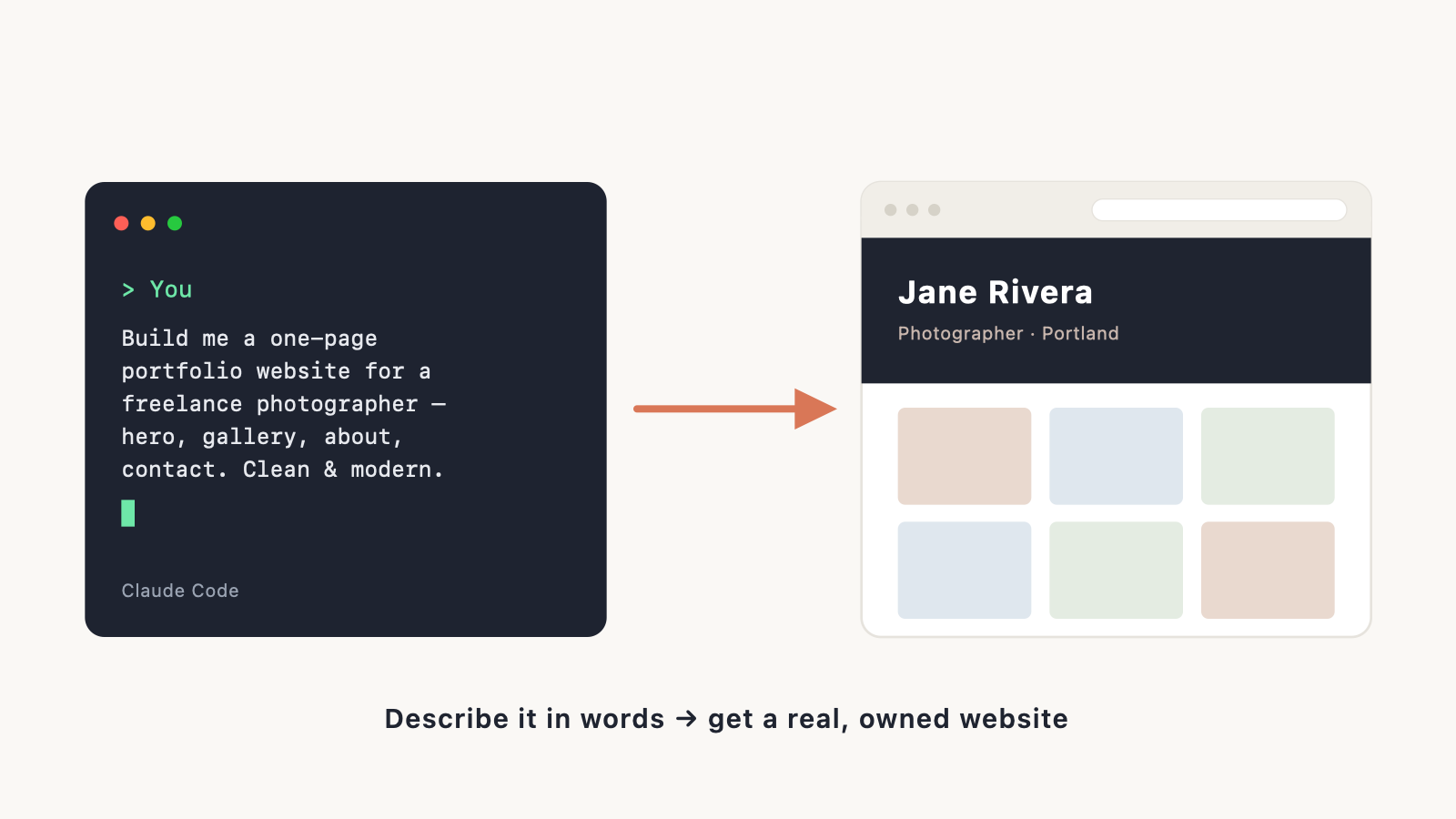
What is Claude Code?
Claude Code is an agentic coding tool from Anthropic, the company that makes the Claude AI models. The word that matters there is agentic. A normal chatbot hands you a block of code to copy and paste. Claude Code works more like someone sitting at your keyboard: it reads the files in your project, writes new ones, edits what’s already there, runs the commands it needs, and fixes its own mistakes as it goes. You describe what you want in plain language; it does the rest.
What does that get you? A standard codebase you actually own. No proprietary platform holding your site hostage, no monthly website-builder fee just to keep it online, no export headaches when you decide to move. The site Claude Code builds is the same kind a professional developer would hand you. You can host it anywhere, edit it by hand later, or pass it to a developer down the line.
How Claude Code works
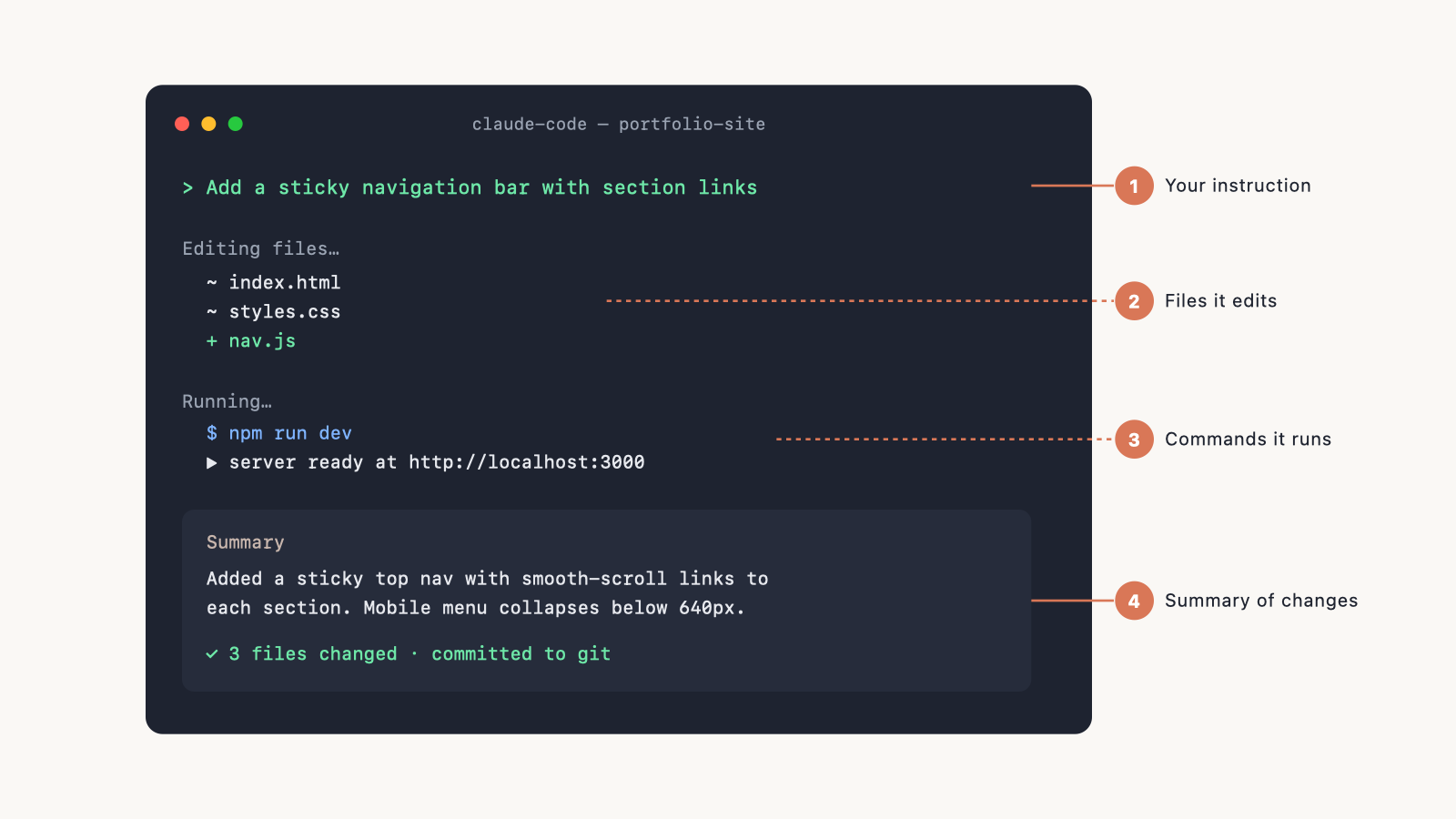
You give it a goal, like “add a contact form to the homepage” or “make this work on mobile.” From there it reads your project so it understands the existing code before touching anything, makes the changes across however many files the job needs, and runs whatever commands are required, like installing a package or starting a preview server. When something breaks, it reads the error and fixes it instead of handing you a broken paste. And it saves each step to Git, so everything is reversible (more on that below).
You stay in control the whole way. You see what it proposes, then approve it or point it somewhere else. Think of it less as a robot building your site overnight and more as a very fast junior developer who talks you through each step.
Where Claude Code runs
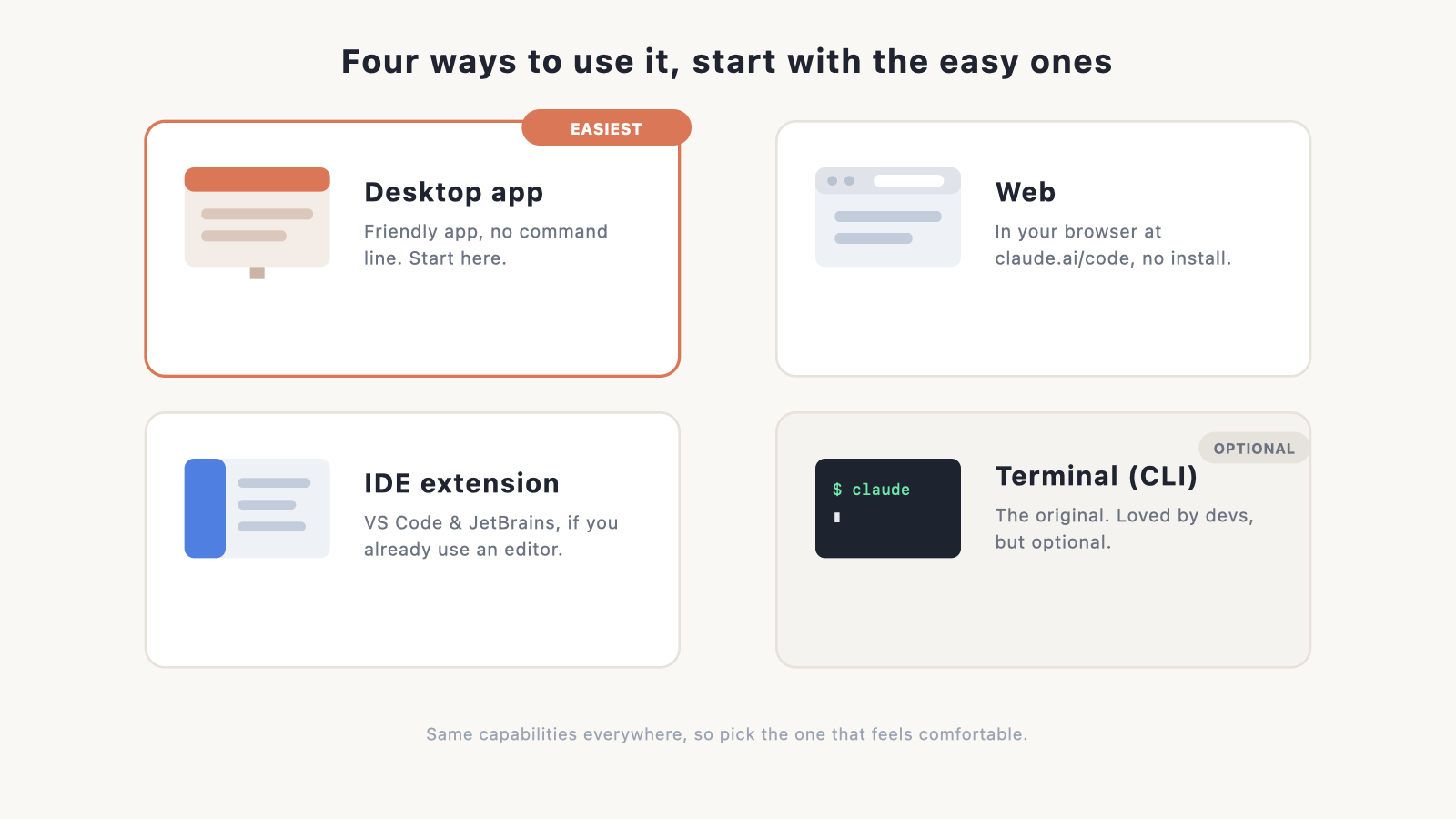
Claude Code runs in a few different places, and you get to pick whichever feels comfortable. Most people don’t need the terminal at all. (Verify the current list of surfaces at publish.)
- Desktop app: the easiest place to start. It’s a normal Mac or Windows app with a friendly interface, so you type what you want, watch it work, and approve changes with a click. No command line. If you’re not a developer, start here.
- Web: a browser version at claude.ai/code. Just as approachable as the app, with nothing to install.
- Code editor extensions: for VS Code and JetBrains, if you already work in a code editor and want Claude Code alongside it. New to editors? See our roundup of the best IDE software.
- Terminal (CLI): the original version, and still the favourite of developers who live in the command line. It’s powerful, but it’s optional, and it’s not where a beginner needs to begin.
The capabilities are the same across all of them, so this is purely about what feels comfortable. We compare them in our guide to Claude Code: app vs CLI vs IDE extension.
Who Claude Code is for (and who should skip it)
Claude Code asks a little more of you than a drag-and-drop builder, but less than its reputation suggests, especially if you use the desktop app rather than the terminal.
It’s a good fit if you:
- Want a real, custom site you fully own, with no platform lock-in.
- Are happy to describe what you want in plain English and review the changes as you go.
- Plan to build something specific: a web app, a marketing site with unusual requirements, a portfolio you’ll keep tinkering with.
- Like the idea of learning how websites work as you go. Our HTML tutorial for beginners and website coding with HTML & CSS primers pair well with this.
Pick something simpler if you:
- Just want a good-looking site live this afternoon with no fuss at all.
- Never want to think about code, files, or hosting, even at arm’s length.
In that case, a drag-and-drop tool or a prompt-to-site AI builder will get you there faster. Compare your options in our guide to the best AI website builders, or see how the no-code AI route works in how to build a website with Lovable and how to build a website with ChatGPT. There’s nothing wrong with the easy road. The best tool is whatever gets your site live.
Worried AI is making developers obsolete either way? We take that on directly in will AI replace web developers?
What you need before you start
A short checklist:
- A computer (Mac, Windows, or Linux).
- The Claude Code desktop app, if you want the easy route. Setup is just downloading and installing it. (The terminal route additionally needs Node.js installed; verify current requirements at publish.)
- A Claude plan. Claude Code is included with Claude Pro and above. See pricing below.
- A domain name, eventually, if you want a custom web address. You can sort that any time; our guides on how to choose a domain name and registering a domain name cover it, and you can compare options in choosing the best domain registrar.
That’s it. You don’t need to buy traditional web hosting up front the way you would for a WordPress site. Modern code hosts handle that differently, and we’ll get to them.
Claude Code pricing: is it free?
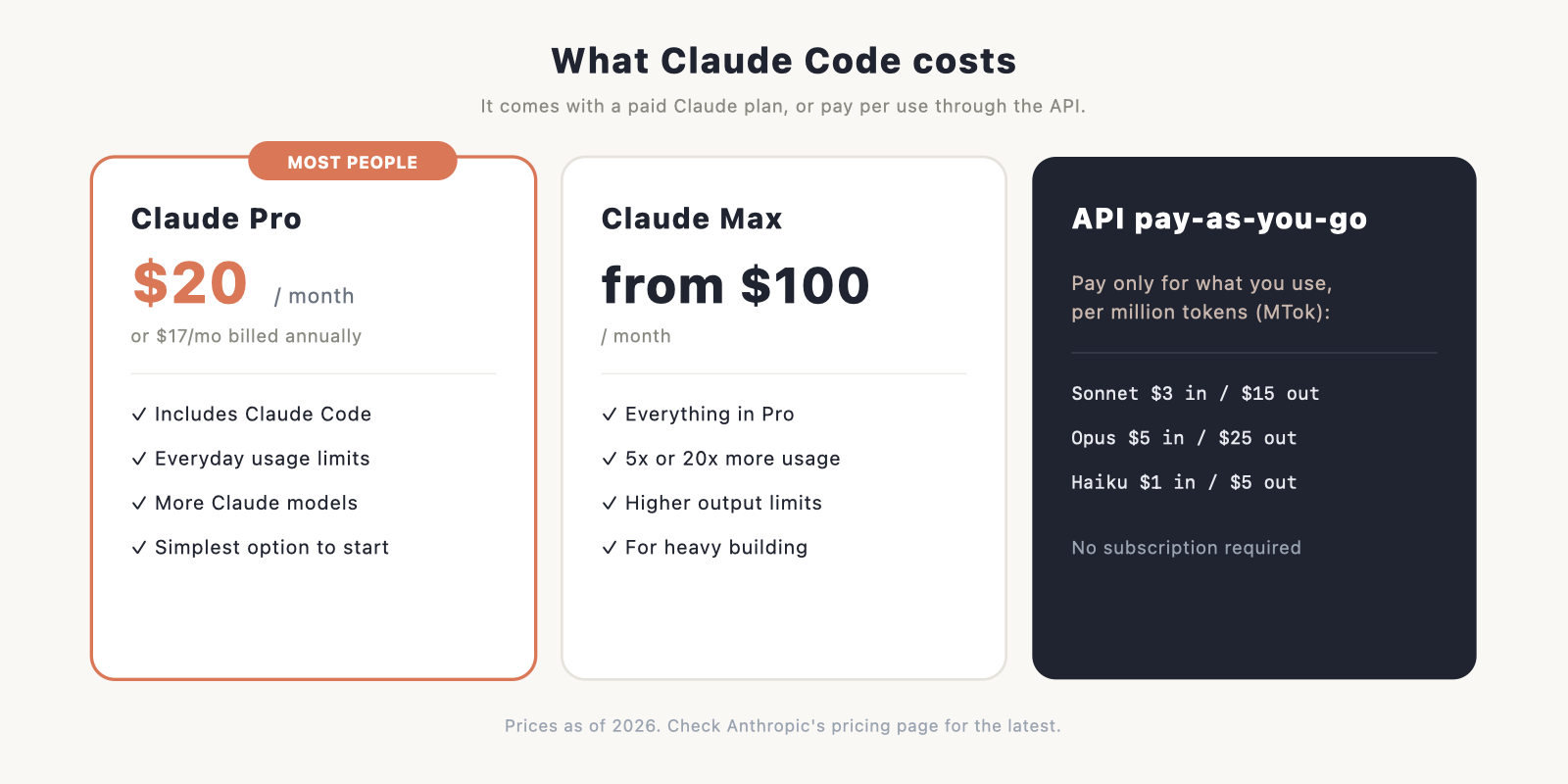
Claude Code comes with a paid Claude subscription, or you can pay per use through the API.
- Claude Pro: $20 a month, or $17 a month if you pay annually ($200 up front). This includes Claude Code and is the simplest choice for most people building a site.
- Claude Max: from $100 a month, for 5x or 20x more usage than Pro if you build a lot.
- API pay-as-you-go: billed per million tokens (MTok), so you only pay for what you use. The model sets the rate: Haiku is cheapest at about $1 in / $5 out, Sonnet is the balanced middle at $3 / $15, and Opus is the most capable and priciest at $5 / $25.
A note on usage, because it’s the part that catches people out. Pro includes Claude Code, but its token allowance is fairly tight, so a heavy build session can hit the ceiling. Max is much more generous and is the better pick if you’re building a lot, though even Max can run dry during intense work. Be careful once you go past a plan’s limits or use the API directly: it’s metered per token and adds up quickly. Keeping sessions scoped and using a cheaper model for routine edits keeps the bill sane.
There’s a free Claude tier for the chat assistant, but Claude Code itself starts with Pro. For a fuller cost comparison against builders and hiring, see our how much does a website cost breakdown.
How to build a website with Claude Code: step by step
This is the whole path, from an empty folder to a live site. Each step links to a deeper guide where one exists.
Step 1: Install Claude Code
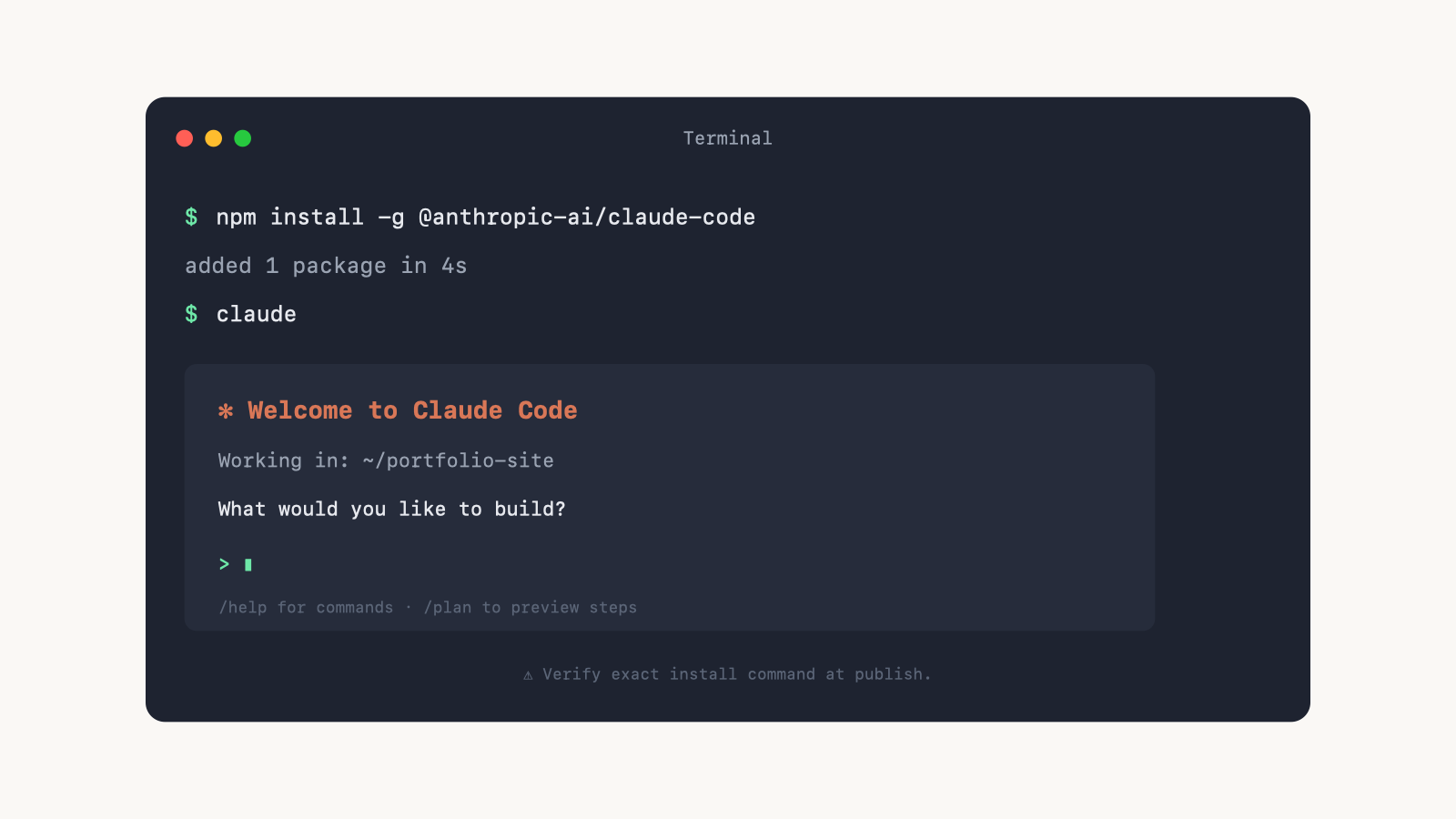
The simplest way is to download the Claude Code desktop app and install it like any other app, then sign in. Prefer the terminal? Install it through Node’s package manager instead. (Verify the exact command at publish; it’s usually a single npm install -g line, then you run claude.) Either way, our install and setup guide walks through every option and the common snags.
Step 2: Start your project and describe the site
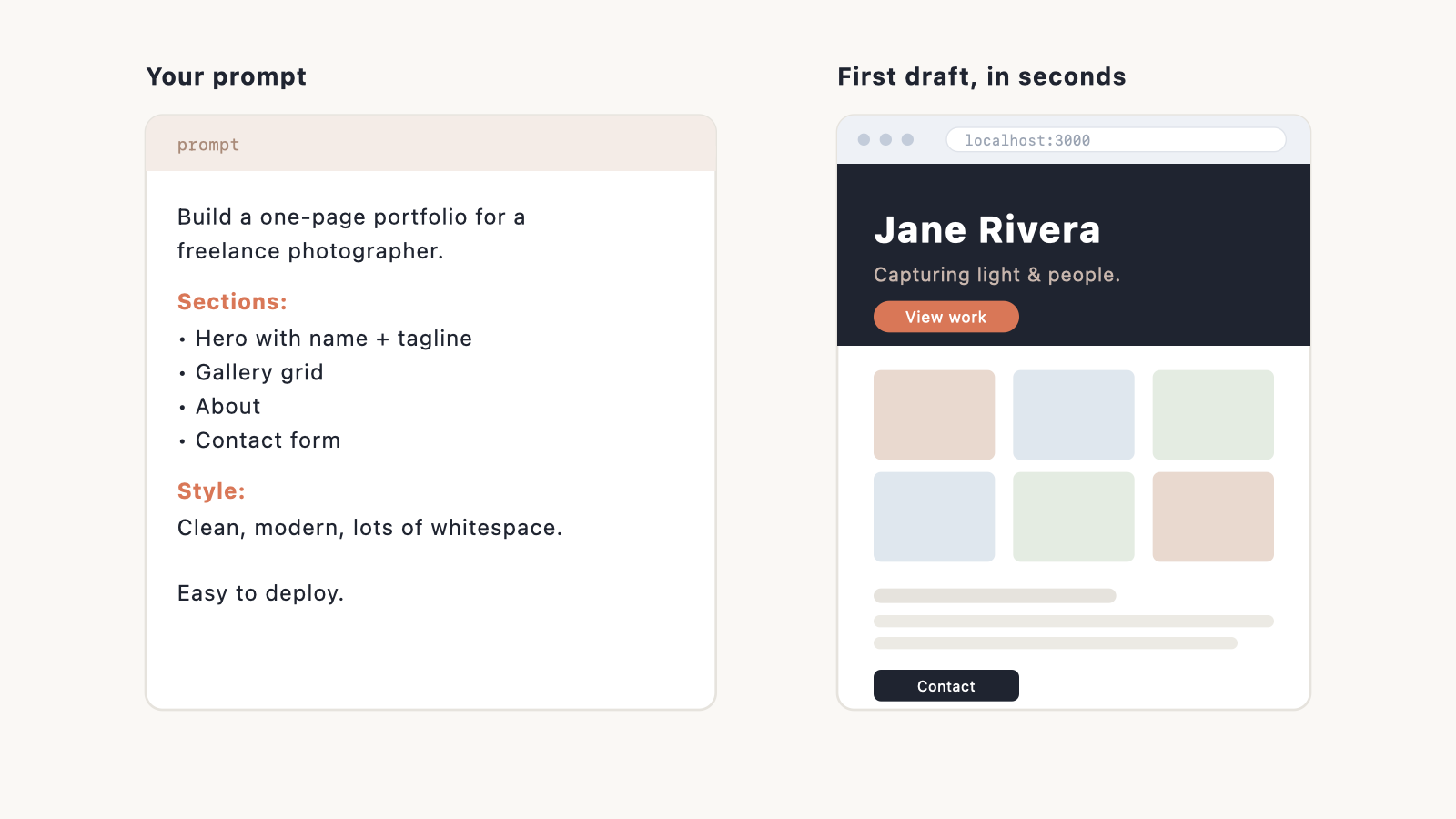
Create an empty folder for your website, open Claude Code there, and tell it what you want in plain English. A good first prompt is specific about purpose, pages, and style. For example:
Claude Code scaffolds the project and builds a first version. The clearer you are about the outcome, the better the result. See the prompting tips in Step 7.
Step 3: Preview it in your browser
Ask Claude Code to start a local preview server. It gives you a local web address you can open to see your site running live on your own machine, before it’s public.
Step 4: Iterate in plain English
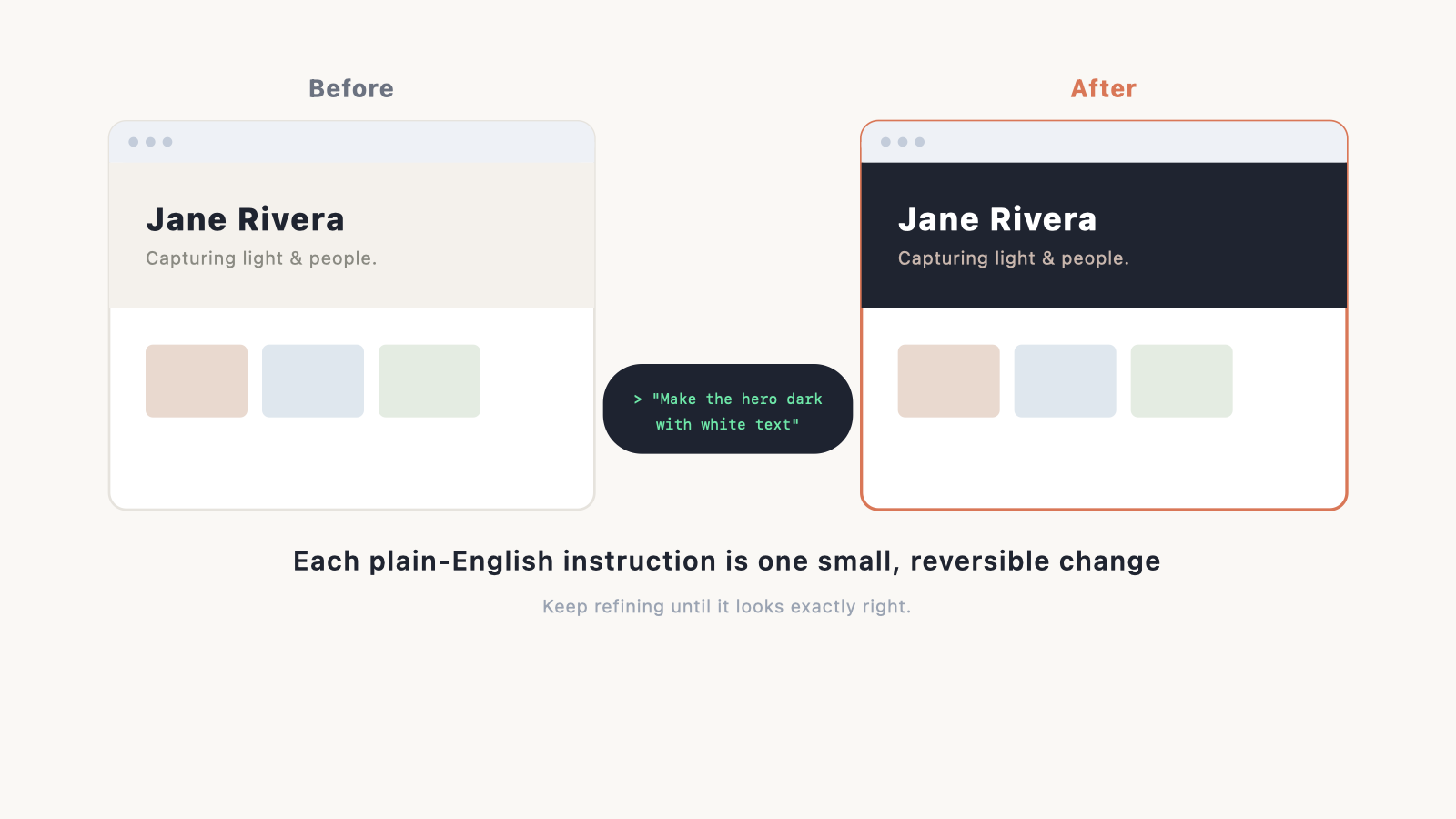
This is where it earns its keep. You refine by conversation:
- “Make the hero background dark and the text white.”
- “The gallery should be 3 columns on desktop, 1 on mobile.”
- “Add a sticky navigation bar with links to each section.”
Each instruction is a small, reviewable change. Keep going until it looks right. For inspiration on what right looks like, browse our website design ideas and website color schemes.
Step 5: Save your work with Git
Git is version control: a save history for your code that lets you undo anything. Claude Code can set it up and commit changes for you; just ask it to “initialise git and commit this.” Every commit is a restore point, so you can experiment without fear. Our Git with Claude Code guide goes deeper.
Step 6: Deploy your site to the web
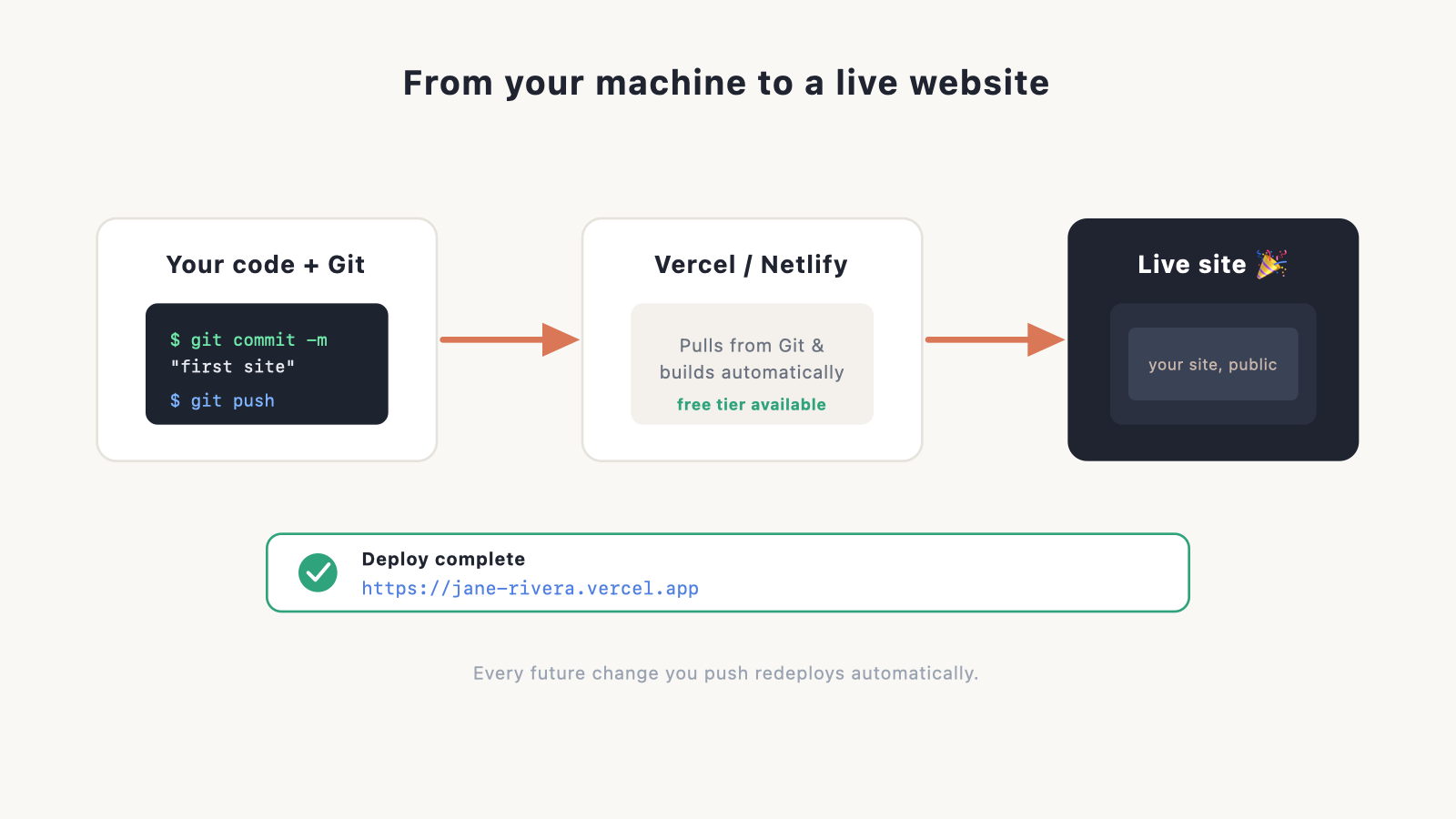
To put the site online, you push it to a code host like Vercel or Netlify. Both have generous free tiers, both can pull your site straight from Git, and both redeploy automatically every time you make a change. Claude Code can walk you through the deployment, or mostly do it, from the terminal. Full walkthrough in our guide to deploying a Claude Code website.
Once it’s live, point your custom domain at it and set up a matching email address with create a custom domain email.
Step 7: Polish, launch, and grow
Before you announce it, run through our website launch checklist. After launch, two things matter most: speed, covered in how to speed up your website, and getting visitors, covered in how to increase website traffic.
The features that make Claude Code powerful
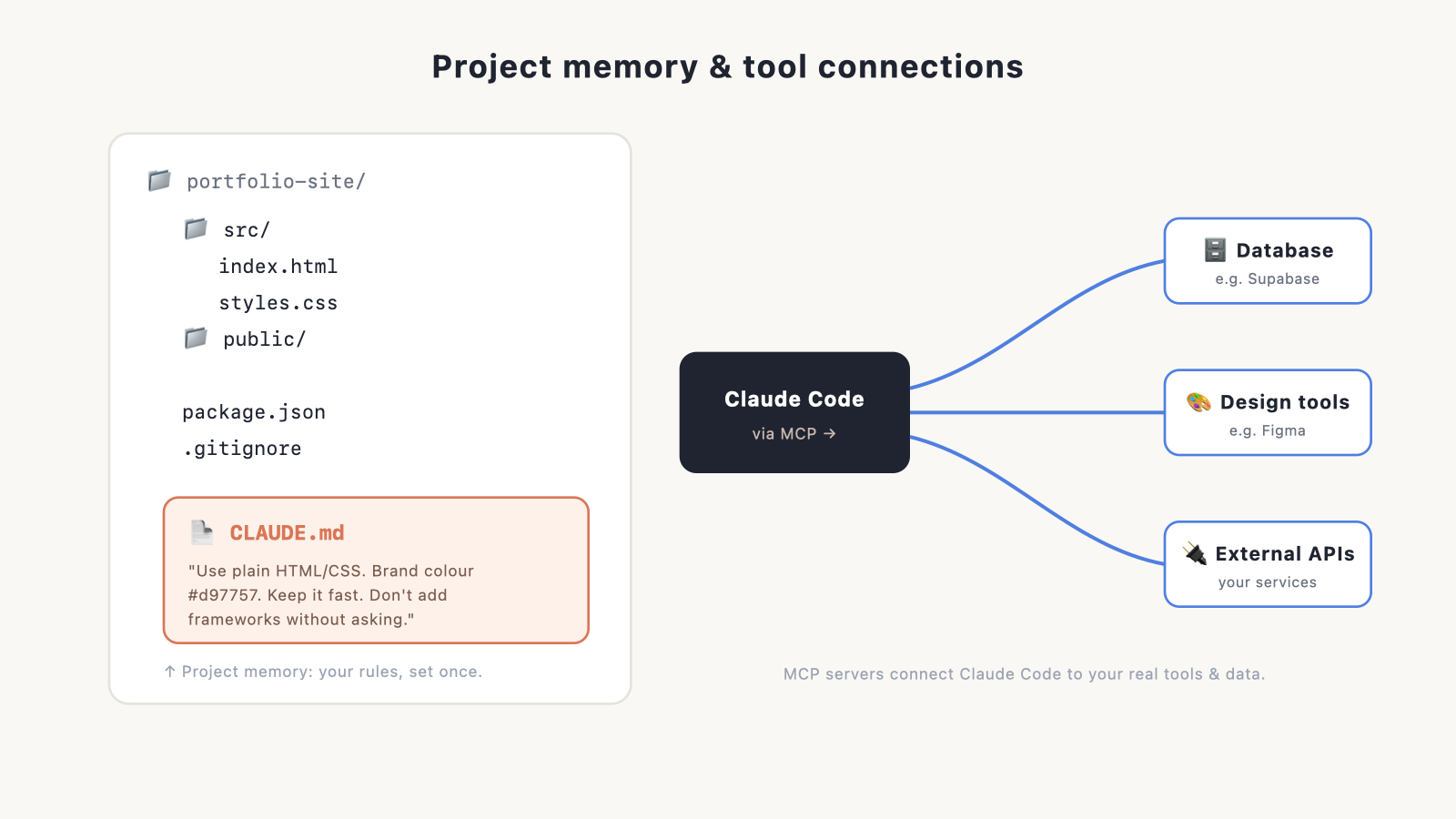
Once you’re past your first site, these are the features worth learning. Each gets its own guide in this series.
- CLAUDE.md, or project memory: a file where you set your project’s rules, stack, and preferences once, so Claude Code stops repeating itself and stays consistent. See the full CLAUDE.md guide.
- MCP servers, for connecting your tools: a way to plug Claude Code into outside tools, databases, and services so it can work with your real data, not just files. See the full MCP guide.
- Slash commands, skills, and subagents: shortcuts and reusable abilities that automate repetitive work and hand bigger jobs to specialised helper agents. See the full guide to power features.
- Plan mode: have Claude Code lay out what it intends to do and get your sign-off before it changes a single file. A safety net for bigger tasks.
Tips for better results
- Describe the outcome, not the code. Tell it the pages, sections, behaviour, and style you want, and let it pick the technical approach.
- Work in small steps. One change at a time is easier to review, and easier to undo, than a giant rewrite.
- Set up a CLAUDE.md early so your preferences stick.
- Use plan mode for anything big, so you approve the approach first.
- Commit often. Your Git history is a free safety net.
Keeping costs under control
Usage drives cost, so a little discipline helps. Keep tasks scoped. Start a fresh session for unrelated work, so you’re not dragging huge context around. Use the cheaper, faster models for routine edits and save the most capable one for the hard problems: Haiku is the budget pick (about $1/$5 per million tokens), Sonnet the balanced default ($3/$15), and Opus the priciest ($5/$25). The gap matters most on Pro, where limits are tight, and on the API, where every token is billed. Full tactics in our Claude Code cost guide.
A quick word on security
Claude Code runs real commands and can touch real files, so treat it like any other developer tool. Never hardcode passwords or API keys into your code. Keep secrets in environment files. And check what you’re granting access to, especially when you connect outside tools.
Pros and cons
| Pros | Cons |
|---|---|
| You own a real, standard codebase, with no lock-in | Steeper learning curve than a builder |
| Build almost anything, in any framework | More setup than a one-click builder |
| Host anywhere; no mandatory platform fee | Usage-based cost needs watching |
| Edit by plain-English conversation | You handle hosting and deploy decisions |
| Good way to learn how the web really works | Overkill for a simple brochure site |
Claude Code vs the alternatives
The short version: Claude Code trades a bit more effort for full control and ownership. Here’s how it compares to the popular alternatives. Each one has a full breakdown in this series.
| Tool | Best for | Trade-off |
|---|---|---|
| Claude Code | Owned, custom sites and apps; people who want to keep their code | More setup; you manage deployment |
| Lovable / Bolt / v0 | Fastest prompt-to-app, no terminal | Less control, possible lock-in. See AI website builders |
| Cursor | Coders who want AI inside a polished editor | IDE-centric workflow. |
| ChatGPT | Quick code snippets to paste yourself | No built-in hosting. See build a website with ChatGPT |
Full head-to-heads: Claude Code vs Cursor and Claude Code vs Lovable.
Verdict
Claude Code is one of the best ways for a non-coder to build a site they fully own in 2026, and the desktop app makes it far more approachable than its terminal-first reputation suggests. You get the control and ownership of hand-coding, without most of the difficulty. If that trade sounds good, work through the steps above and you’ll have a live site sooner than you’d think. If it sounds like more than you want to take on, that’s fine. A website builder will get you there with less fuss.
Frequently asked questions
Is Claude Code free? Claude Code comes with a paid Claude plan: Claude Pro is $20 a month ($17 if you pay annually) and includes it, and Max starts at $100 a month for heavier use. You can also pay per use through the API. (Prices as of 2026; check Anthropic’s pricing page for the latest.)
Do I need to know how to code? No. With the desktop app you don’t touch a terminal at all. You describe what you want and review the changes. If even that sounds like too much, use an AI website builder instead.
Can I build any kind of website with it? Yes: portfolios, business sites, blogs, web apps, and online stores. It’s only overkill for the very simplest brochure sites.
Where do I host a site built with Claude Code? On a modern code host like Vercel or Netlify, both of which have free tiers. This is different from the traditional web hosting you’d buy for WordPress.
Is the code really mine? Yes. It’s a standard codebase on your machine and in your Git repo. No platform owns it.
