
Lovable is part of a newer breed of tool: you describe the website you want in a sentence or two, and it writes the actual code and puts a working version on the screen. No templates, no drag-and-drop. The catch is that “describe it and it appears” only works well when you know what to ask for, and when Lovable is the right tool for what you’re building in the first place.
For context: I’m not a developer and I don’t code, yet I’ve put together plenty of sites for my own businesses over the years. So this walkthrough stays on the no-code path, and it’s honest about where Lovable is the best option and where it isn’t.
A quick reality check before we start: Lovable builds a real, deployable site, but you still make the design calls, connect your own domain, and handle the final polish. Here’s the whole process, from blank prompt to live site.
How to Build a Website With Lovable in 5 Steps
- Step 1: Understand what Lovable is and when to use it
- Step 2: Plan your goals, audience, and pages
- Step 3: Build your site with a clear prompt
- Step 4: Customize the design, pages, and integrations
- Step 5: Publish, optimize, and maintain it
Time to a first version: under 1 hour
Time to a polished, published site: 2–4 hours
Guide difficulty: Beginner (no coding needed)
Step 1 – What Is Lovable and Why Use It to Build a Website
Lovable is an AI builder that turns a written description into a working website, generating the design, the pages, and the code underneath for you. Unlike a drag-and-drop builder, it produces real code you can edit or export, and it can handle extras like databases, sign-ups, and payments when you need them.
Why people reach for it:
- No coding required, you describe what you want in plain English
- Fast, a first version can appear in a minute or two
- Full control, you’re not boxed into a fixed template
- You own the code and can export it, so you’re never locked in
One honest caveat: Lovable is closer to an AI app builder than a traditional CMS. It shines for landing pages, portfolios, small-business sites, and web apps. If you mainly want a simple blog you’ll update every week, a classic WordPress setup may be easier, our how to make a website guide covers that route, and our guide to building a site with ChatGPT compares another AI approach.
Step 2 – Planning Your Website: Goals, Audience, and Structure
The single biggest factor in your result is the quality of your prompt, and a good prompt starts with a clear plan. Five minutes of thinking here saves you credits and rework later.
Before you prompt, pin down:
- Goal: what should the site do, capture leads, sell, showcase work, or inform?
- Audience: who visits, and what do they need from you?
- Pages: usually Home, About, Services or Products, and Contact (add a Blog or FAQ if it fits)
- Brand: your colors, fonts, and tone

Step 3 – Step-by-Step Guide to Building a Website with Lovable
1. Sign up. Head to Lovable and create a free account. You’ll land on a single prompt box, no setup needed.
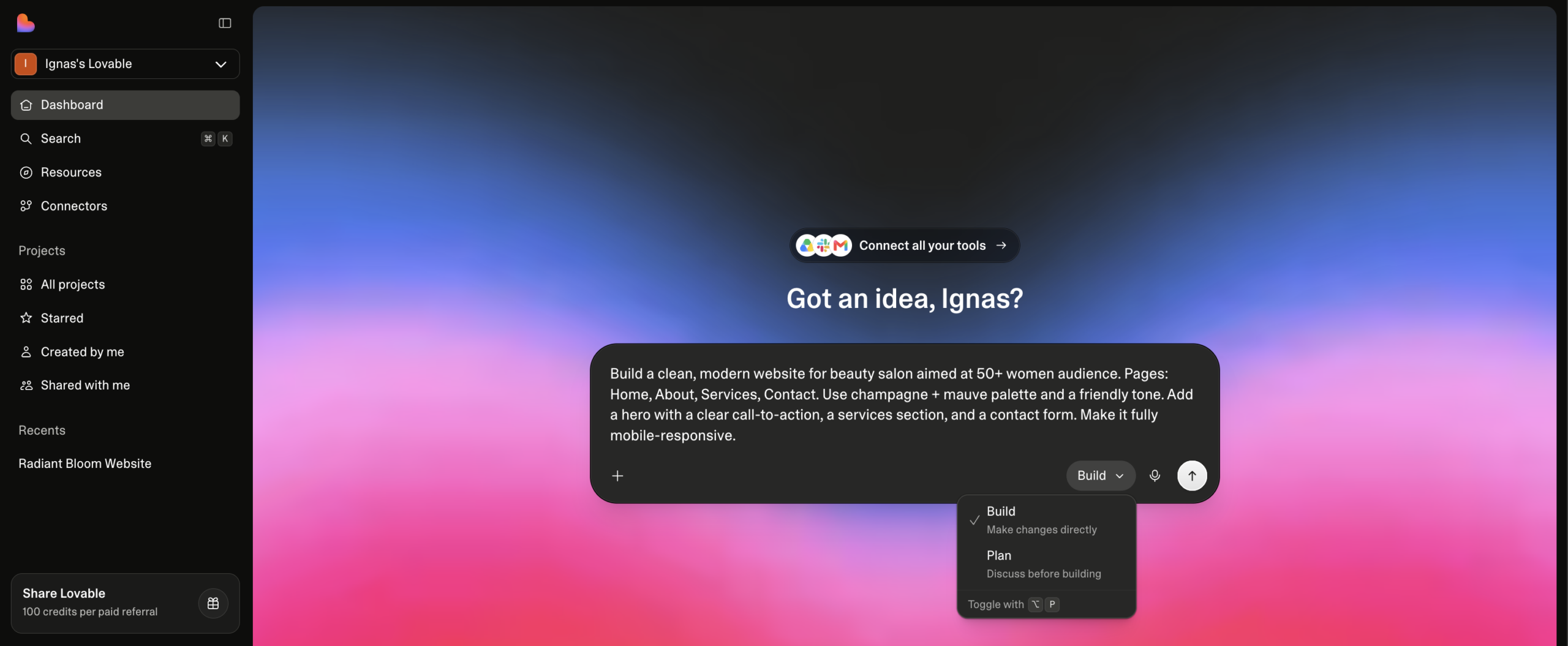
2. Write one clear, complete first prompt. A vague request (“make me a website”) gives a vague result. In one prompt, describe the visual style, the pages, the key features, and the content. The more specific you are, the closer the first draft lands.
“Build a clean, modern website for [business type] aimed at [audience]. Pages: Home, About, Services, Contact. Use [two brand colors] and a friendly tone. Add a hero with a clear call-to-action, a services section, and a contact form. Make it fully mobile-responsive.”
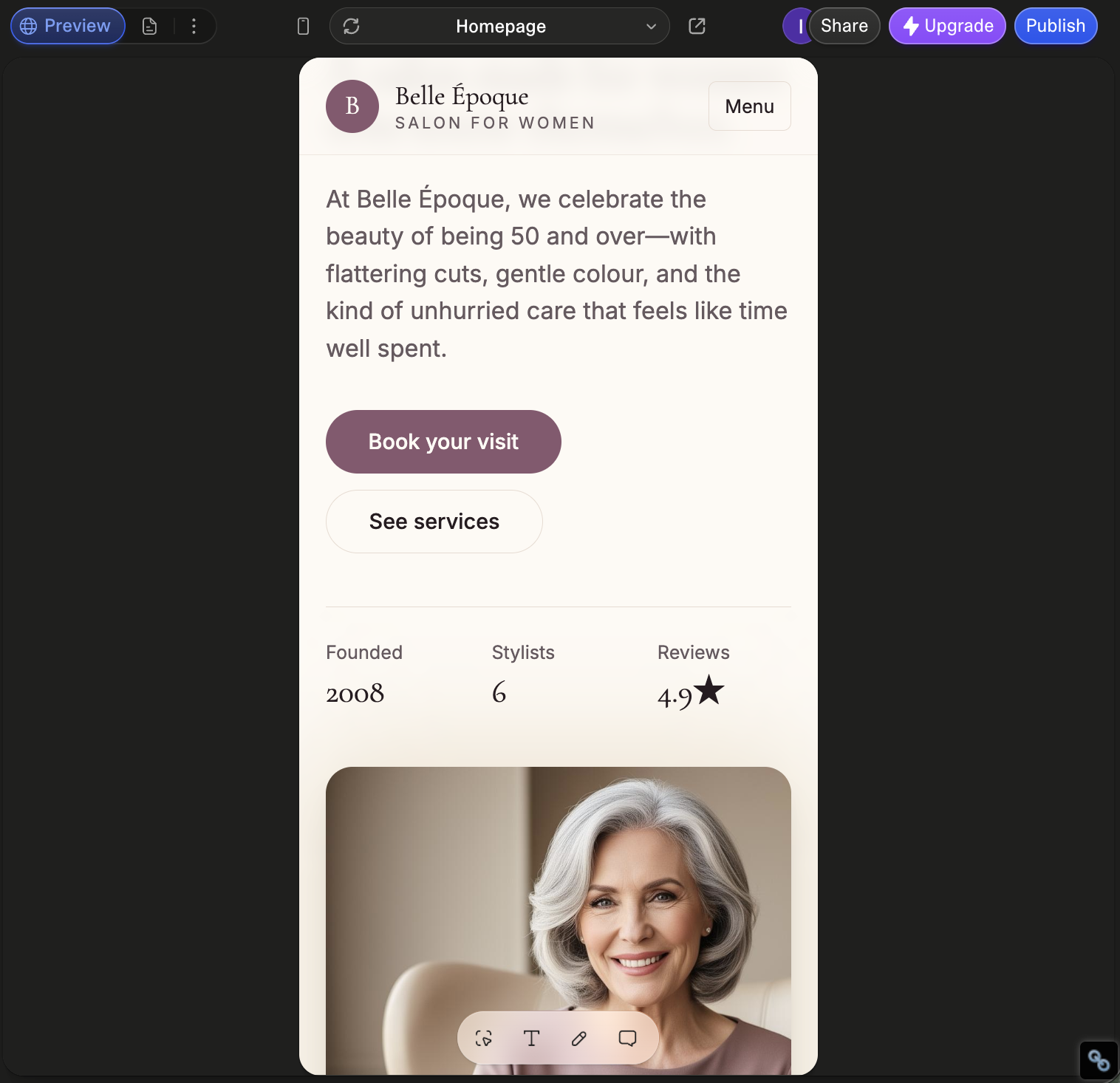
3. Generate and review. Lovable builds a working draft in a minute or two. Click through it exactly like a visitor would and note what’s off.
4. Refine in small steps. Ask for one change at a time, and tell it what not to touch, so you don’t break sections that already work.
Step 4 – Customizing Your Site: Design, Pages, and Integrations
Design. Lovable lets you click an element and describe the change in plain words (its Select and Edit feature), which is the easiest way to fine-tune spacing, colors, or wording. For bigger shifts, use a follow-up prompt. Be aware that AI designs can look a little generic at first, so a few rounds of refining are normal.
Pages. Need another page? Just ask, for example, “Add a Pricing page with three plans and a FAQ below.” Lovable adds it and links it into your navigation.
Integrations. When your site needs more than pages, Lovable connects the common tools: a contact form, a database and sign-ups (via Supabase), payments (via Stripe), and analytics. Add only what you actually need, every extra is one more thing to test and maintain.
Step 5 – Publishing, SEO, and Maintaining Your Lovable Website
When the site looks right, Lovable publishes it with one click. To use your own web address, connect a custom domain (a domain usually costs around $10–$50 a year). Confirm your site loads over HTTPS and looks right on mobile before you share it.
Cover the SEO basics so people can find you:
- Write a unique title and meta description for each page
- Use a clear heading structure (one H1, then H2s and H3s)
- Add descriptive alt text to images
- Connect Google Search Console to track performance and submit your sitemap
Because Lovable gives you the underlying code, you can also export to GitHub and host the site elsewhere if you’d rather, which is reassuring if you ever outgrow the platform. To keep things fresh afterward, re-prompt Lovable to update copy or add pages, and check your analytics now and then to see what’s working.
P.S. If Lovable does something you didn’t expect and you can’t work out why, drop us a line, I’m glad to take a look 🙂.
How to Build a Website With Lovable: Frequently Asked Questions
Is Lovable free to use for building a website?
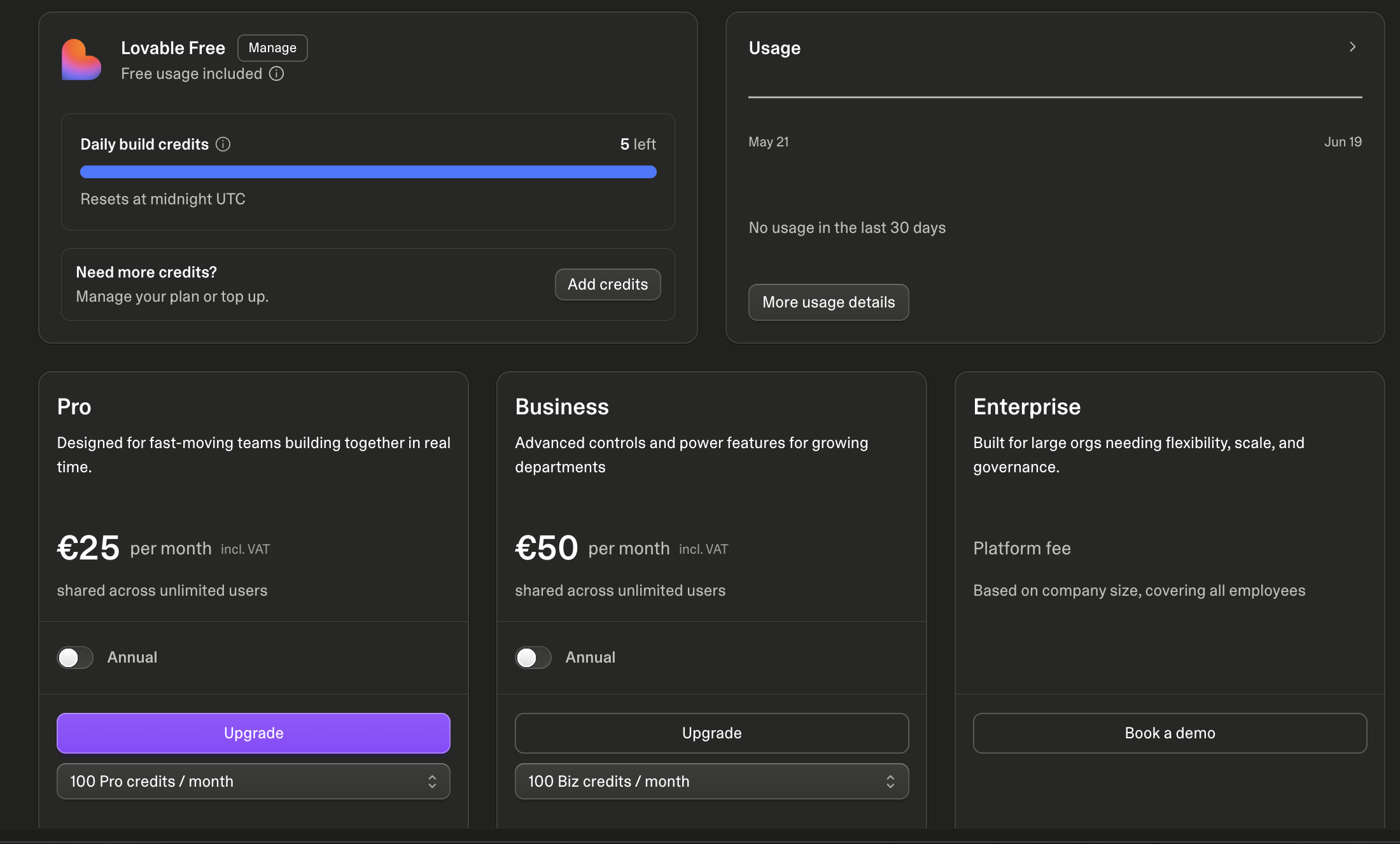
Lovable has a free plan (Lovable Free) that gives you 5 build credits per day, which reset at midnight UTC, with each prompt spending one. That’s enough to build and try out a simple site, though refining it will use up the daily limit quickly. When you need more, paid plans start at $25/month for Pro (100 credits a month, shared across unlimited users), with Business at $50/month and custom Enterprise pricing above that; you can also top up credits anytime. A custom domain is a separate cost, roughly $10–$50 a year.
Do I need coding skills to build a website with Lovable?
No, and that’s the point. You describe what you want in plain language and Lovable writes the code for you. It does generate real, editable code you can export if you ever want it, but you don’t have to touch it to get a finished site.
How long does it take to build a website with Lovable?
A first working version can appear in under an hour. Getting it polished, connecting a custom domain, and adding things like forms or payments usually takes an afternoon. More complex sites with several integrations take longer, mostly because of testing and refining.
