What is JavaScript (and modern JavaScript)?
JavaScript is the language that makes web pages do things. HTML gives a page its structure and CSS handles the styling, but JavaScript is what responds to clicks, validates a form, fetches data, and updates the screen without a reload. It runs right inside the browser, so every visitor already has an engine that can execute it.
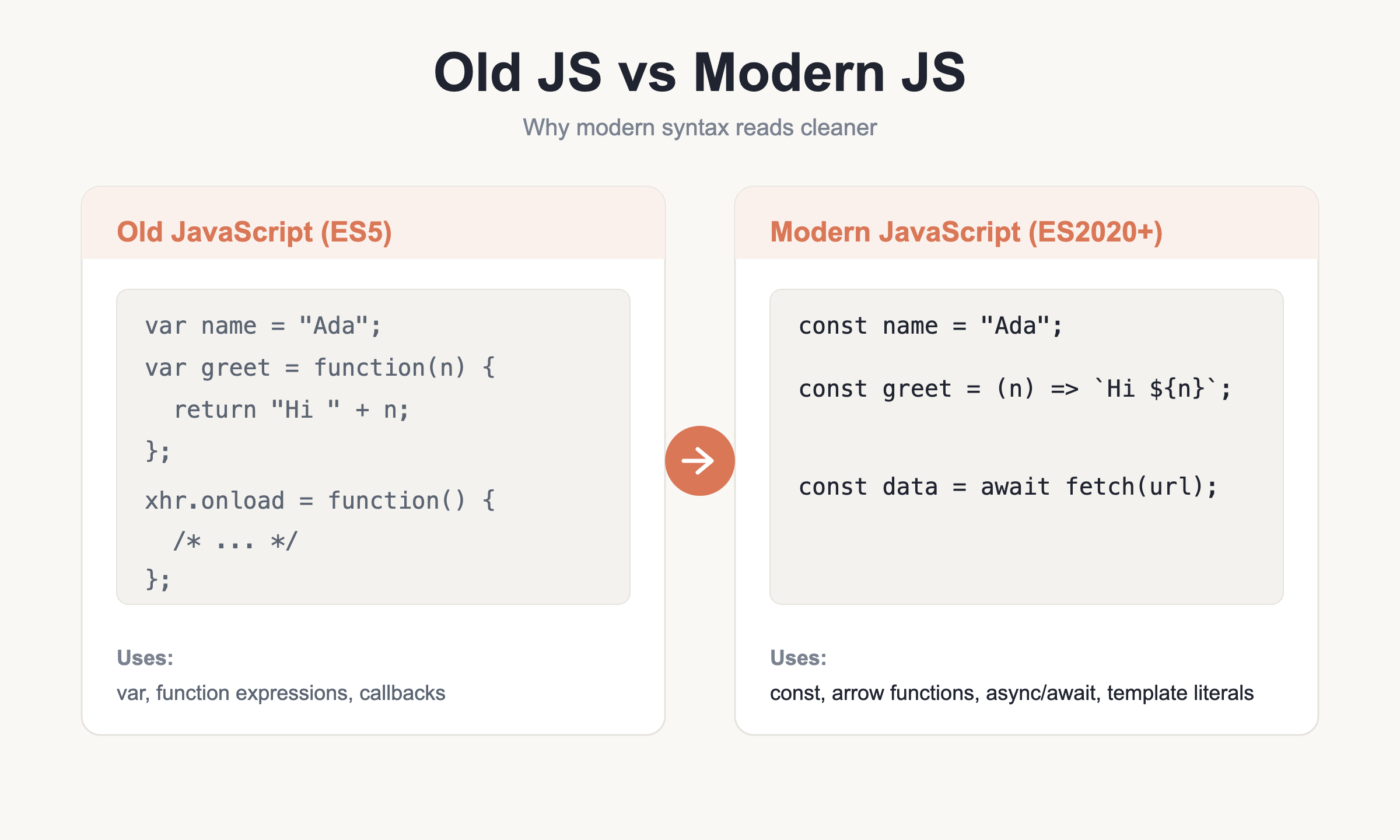
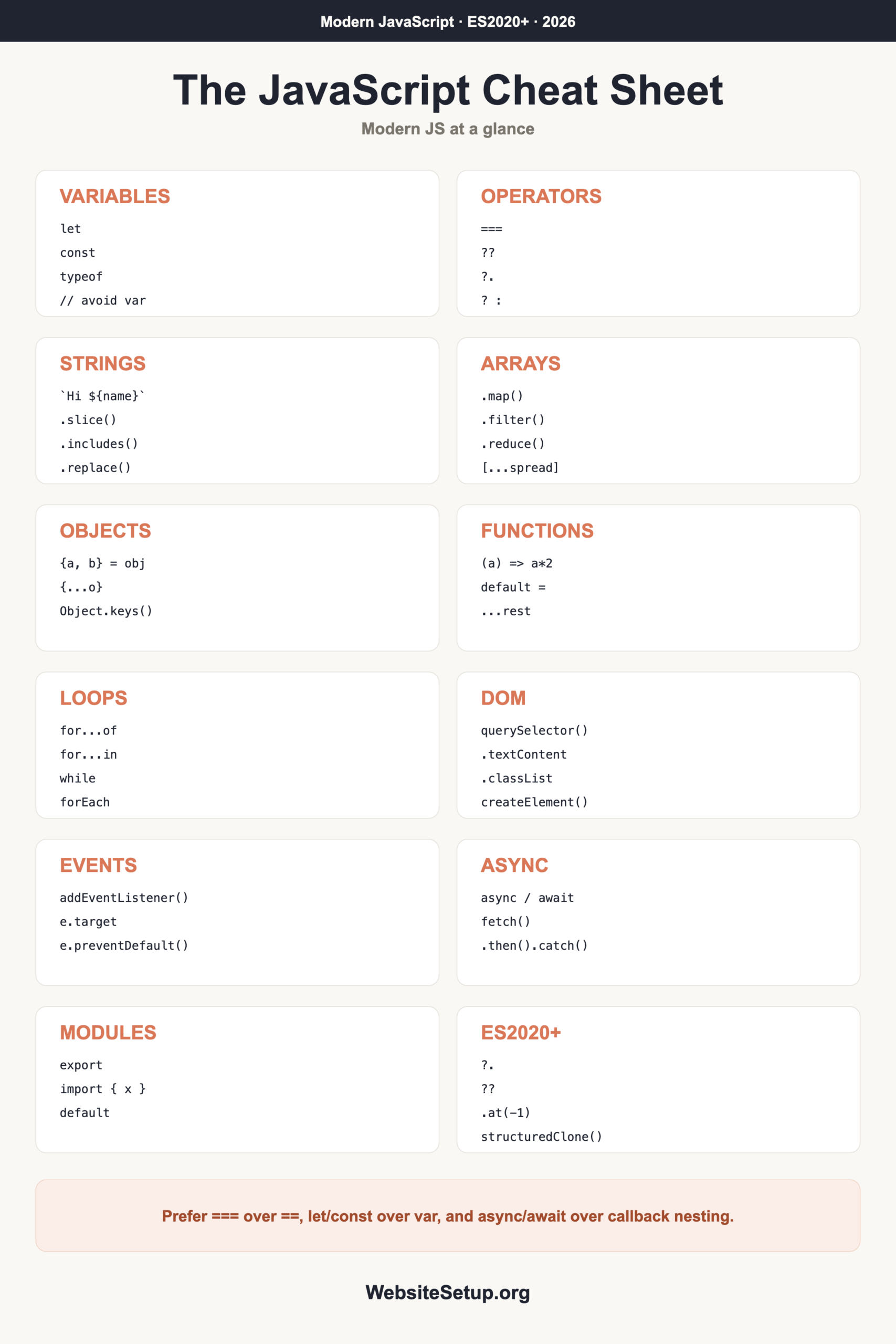
The language has moved a long way since the early days. The 2015 release (often called ES2015 or ES6) added let and const, arrow functions, template literals, modules, and Promises. Everything since then, up through ES2024, has kept refining it. This cheat sheet sticks to that current style. You will not see old var and ES5 patterns presented as the way to write code today. If you are new to building sites in general, start with the how to create a website guide and come back once your page is up.
Variables and types
Declare variables with const by default. Reach for let only when you know the value will change. Both are block-scoped, meaning they live inside the nearest { }. The old var keyword is function-scoped and hoisted in confusing ways, so skip it in new code.
const name = "Ada";      // cannot be reassigned
let count = 0;           // can be reassigned
count = count + 1;

typeof name;   // "string"
typeof count;  // "number"
JavaScript has a small set of built-in types, and most values you work with are one of them. Strings, numbers, and booleans are the everyday primitives. Objects and arrays hold structured data. Here is a quick tour:
| Type | Example |
|---|---|
| string | "hello" |
| number | 42, 3.14 |
| boolean | true, false |
| null | null (deliberate empty) |
| undefined | undefined (not set) |
| object | { }, [ ] |
| symbol | Symbol("id") |
| bigint | 10n (huge integers) |
One quirk worth memorizing: typeof null returns "object". It is a historical bug that can never be fixed without breaking the web, so just remember it.
Operators
Operators combine and compare values. Arithmetic covers the usual math, plus % for remainder and ** for exponents. When comparing, always prefer the strict forms === and !== over == and !=, because the strict versions do not silently convert types.
| Operator | Meaning |
|---|---|
+ - * / % ** |
Arithmetic (add, subtract, multiply, divide, remainder, power) |
=== !== |
Strict equal / not equal (no type coercion) |
&& || ! |
Logical and, or, not |
cond ? a : b |
Ternary (inline if/else) |
?? |
Nullish coalescing (fallback only for null or undefined) |
obj?.prop |
Optional chaining (safe access) |
const total = price * quantity;
const isAdult = age >= 18;
const label = isAdult ? "Adult" : "Minor";
const port = config.port ?? 3000;   // 3000 only if port is null/undefined
Strings and template literals
Strings hold text. Modern code uses backtick template literals for anything that mixes text with values, since you can drop expressions straight in with ${ } and write multiple lines without escapes.
const name = "Sam";
const greeting = `Hi ${name}, you have ${3 + 2} messages`;

"JavaScript".length;            // 10
"JavaScript".slice(0, 3);       // "Jav"
"cat,dog".includes("dog");      // true
"a-b-c".replace("-", "+");      // "a+b-c"
"a-b-c".replaceAll("-", "+");   // "a+b+c"
"a,b,c".split(",");             // ["a", "b", "c"]
"  hi  ".trim();                // "hi"
"loud".toUpperCase();           // "LOUD"
"5".padStart(2, "0");           // "05"
Numbers and Math
JavaScript uses one number type for both integers and decimals. Convert strings to numbers with parseInt, parseFloat, or Number. Always pass the radix 10 to parseInt so it reads base-ten. The Math object handles rounding and random values.
parseInt("10", 10);      // 10
parseFloat("3.14");      // 3.14
Number("42");            // 42

Math.round(4.6);         // 5
Math.floor(4.9);         // 4
Math.ceil(4.1);          // 5
Math.random();           // 0 to just under 1
(3.14159).toFixed(2);    // "3.14" (a string)
Arrays
Arrays hold ordered lists, and they come with a rich set of methods. The most useful ones loop over the items for you, so you rarely need a manual counter. Some methods return a new array and leave the original alone (safe), while others change the array in place (mutating). Knowing which is which prevents a lot of bugs, especially when the same array is used in more than one place.
| Method | What it does |
|---|---|
.map(fn) |
New array, each item transformed |
.filter(fn) |
New array, items that pass a test |
.reduce((a,c)=>a+c, 0) |
Fold to a single value (a sum here) |
.forEach(fn) |
Run code for each item |
.find(fn) |
First matching item |
.some / .every |
Any / all pass the test |
.includes(x) |
Is a value present |
.push / .pop |
Add / remove at end (mutates) |
.shift / .unshift |
Remove / add at start (mutates) |
.sort / .splice |
Reorder / insert-remove (mutates) |
.slice / .flat / .concat |
Return a new array (safe) |
const nums = [3, 1, 2];
const doubled = nums.map(n => n * 2);      // [6, 2, 4]
const big = nums.filter(n => n > 1);        // [3, 2]
const sum = nums.reduce((a, c) => a + c, 0); // 6

const merged = [...nums, 4, 5];             // spread
const [first, second] = nums;               // destructuring
nums.at(-1);                                // 2 (last item)
Objects
Objects store data as key and value pairs. Read a value with dot notation or brackets. Destructuring pulls fields into their own variables, and spread copies one object into another while letting you add or override keys.
const user = { name: "Rae", age: 30 };
user.name;          // "Rae"
user["age"];        // 30

const { name, age } = user;              // destructuring
const updated = { ...user, age: 31 };    // spread + override
const role = "admin";
const record = { name, role };           // shorthand keys

Object.keys(user);      // ["name", "age"]
Object.values(user);    // ["Rae", 30]
Object.entries(user);   // [["name","Rae"], ["age",30]]
Object.hasOwn(user, "name");  // true
Functions and arrow functions
Functions package up code you want to reuse. The classic function keyword still works everywhere. Arrow functions are shorter and popular for callbacks. Default parameters supply a fallback, and rest parameters gather extra arguments into an array.
function greet(name) {
  return "Hi " + name;
}

const double = (a) => a * 2;          // arrow, implicit return
const add = (a = 1, b = 1) => a + b;  // default params
const sumAll = (...nums) => nums.reduce((a, c) => a + c, 0); // rest

(() => {
  console.log("runs immediately");    // IIFE
})();
One important difference: arrow functions do not bind their own this. That makes them handy inside callbacks, but it means you should not use them as object methods or constructors when you need this to point at the object.
Conditionals and loops
Branching and looping control the flow. Use if/else for most decisions and switch when you compare one value against many fixed cases. For loops, for...of reads values from an array while for...in reads keys from an object.
if (score > 90) {
  grade = "A";
} else {
  grade = "B";
}

switch (day) {
  case 1: label = "Mon"; break;
  default: label = "Other";
}

for (let i = 0; i < 3; i++) { /* count */ }
for (const item of list) { /* values */ }
for (const key in obj) { /* keys */ }
while (running) { /* ... */ }
do { /* at least once */ } while (false);
// break exits the loop; continue skips to the next pass
The DOM
The DOM is the browser’s live model of your page. JavaScript reads and changes it through document. Select elements with querySelector for one match or querySelectorAll for a list. For text, prefer .textContent over .innerHTML, because .innerHTML parses HTML and can open the door to injection if the text came from a user. This pairs naturally with the HTML cheat sheet and the CSS cheat sheet.
const box = document.querySelector(".card");
const all = document.querySelectorAll("li");   // a NodeList
const el = document.getElementById("main");

box.textContent = "Safe text";       // preferred
box.innerHTML = "<b>careful</b>";     // parses HTML
box.classList.add("active");
box.classList.toggle("open");
el.setAttribute("href", "/home");
el.style.color = "crimson";

const div = document.createElement("div");
box.append(div);
Events
Events let your code react to what the visitor does. Attach a handler with addEventListener. The event object carries details: e.target is the element that fired it, and e.preventDefault() stops the default browser action, such as a form actually submitting. If you have seen this done with the older jQuery library, the jQuery cheat sheet is a useful companion, though you can do all of it in plain JavaScript now.
const btn = document.querySelector("#save");
btn.addEventListener("click", (e) => {
  console.log("clicked", e.target);
});

form.addEventListener("submit", (e) => {
  e.preventDefault();   // stop the page reload
});
// common events: click, input, submit, keydown, change, mouseover
Promises and async/await
A Promise represents a value that will arrive later, like a network response. You can handle it with .then() and .catch(), but async/await reads more like plain step-by-step code. Wrap awaited calls in try/catch to handle failures.
const p = new Promise((resolve, reject) => {
  resolve("done");
});
p.then(v => console.log(v)).catch(e => console.error(e));

async function load() {
  try {
    const res = await fetch("/api/data");
    if (!res.ok) throw new Error("HTTP " + res.status);
    const data = await res.json();
    return data;
  } catch (err) {
    console.error(err);
  }
}
A trap that catches many beginners: fetch does not reject on HTTP errors like 404 or 500. It only rejects when the network itself fails. Always check response.ok yourself.
ES Modules
Modules split code across files. You export what you want to share and import it elsewhere. A file can have many named exports and one default export.
// math.js
export const PI = 3.14;
export function square(n) { return n * n; }
export default function cube(n) { return n * n * n; }

// app.js
import cube, { PI, square } from "./math.js";
import * as math from "./math.js";
Handy ES2020+ features
Recent releases added small tools that remove a lot of boilerplate. These are safe to use in every current browser.
user?.address?.city;          // optional chaining, no crash if missing
value ?? "default";           // nullish fallback
count ??= 5;                  // assign only if null/undefined
arr.at(-1);                   // last element
const copy = structuredClone(obj);   // deep copy
Object.hasOwn(obj, "key");    // safe own-property check
await Promise.allSettled([a, b]);    // wait for all, keep every result
Mini-recipes
Short, copy-ready snippets for jobs that come up constantly.
// Fetch JSON safely
async function getUsers() {
  const res = await fetch("/api/users");
  if (!res.ok) throw new Error("Request failed: " + res.status);
  return res.json();
}
// Filter then map
const names = users.filter(u => u.active).map(u => u.name);
// Debounce a function
function debounce(fn, ms) {
  let timer;
  return (...args) => {
    clearTimeout(timer);
    timer = setTimeout(() => fn(...args), ms);
  };
}
// Guard against missing data
const city = user?.address?.city ?? "Unknown";
// Toggle a class on click
btn.addEventListener("click", () => box.classList.toggle("active"));
Common gotchas
A few habits will save you hours of debugging. Read these once and they will stick.
- Use
===, not==. Loose equality coerces types, so0 == ""istrueand so is"1" == 1. - Prefer
letandconstovervar. Block scope behaves the way you expect. - Arrow functions have no own
this. Do not use them for object methods or constructors when you rely onthis. NaNis not equal to itself, soNaN !== NaN. Test for it withNumber.isNaN(x).- Mutating methods (
sort,splice,push,reverse) change the original array. New-array methods (map,filter,slice) leave it alone. - Every
asyncfunction returns a Promise, even if you return a plain value. fetchonly rejects on network failure. Checkresponse.okto catch a 404 or 500.
Download the JavaScript Cheat Sheet (PDF) and related
Keep this reference within reach while you code. Download the full JavaScript cheat sheet as a PDF and pin it near your editor.
Download the JavaScript Cheat Sheet (PDF)
Related cheat sheets on WebsiteSetup.org round out the front-end stack: the HTML cheat sheet for structure, the CSS cheat sheet for styling, and the jQuery cheat sheet for the older library companion. Together they cover the everyday toolkit for building and running a site.