
What is regex (and how to read a pattern)
A regular expression is a pattern for matching text. You write a small string of symbols, hand it to a program, and it finds every stretch of text that fits. Regex shows up everywhere: form validation, find and replace in an editor, log searches, and URL redirects. If you have ever typed a slug rule or a redirect and wondered what the strange punctuation meant, that was regex. Learn the handful of symbols on this page and you can stop copying patterns you do not understand from random forum posts.
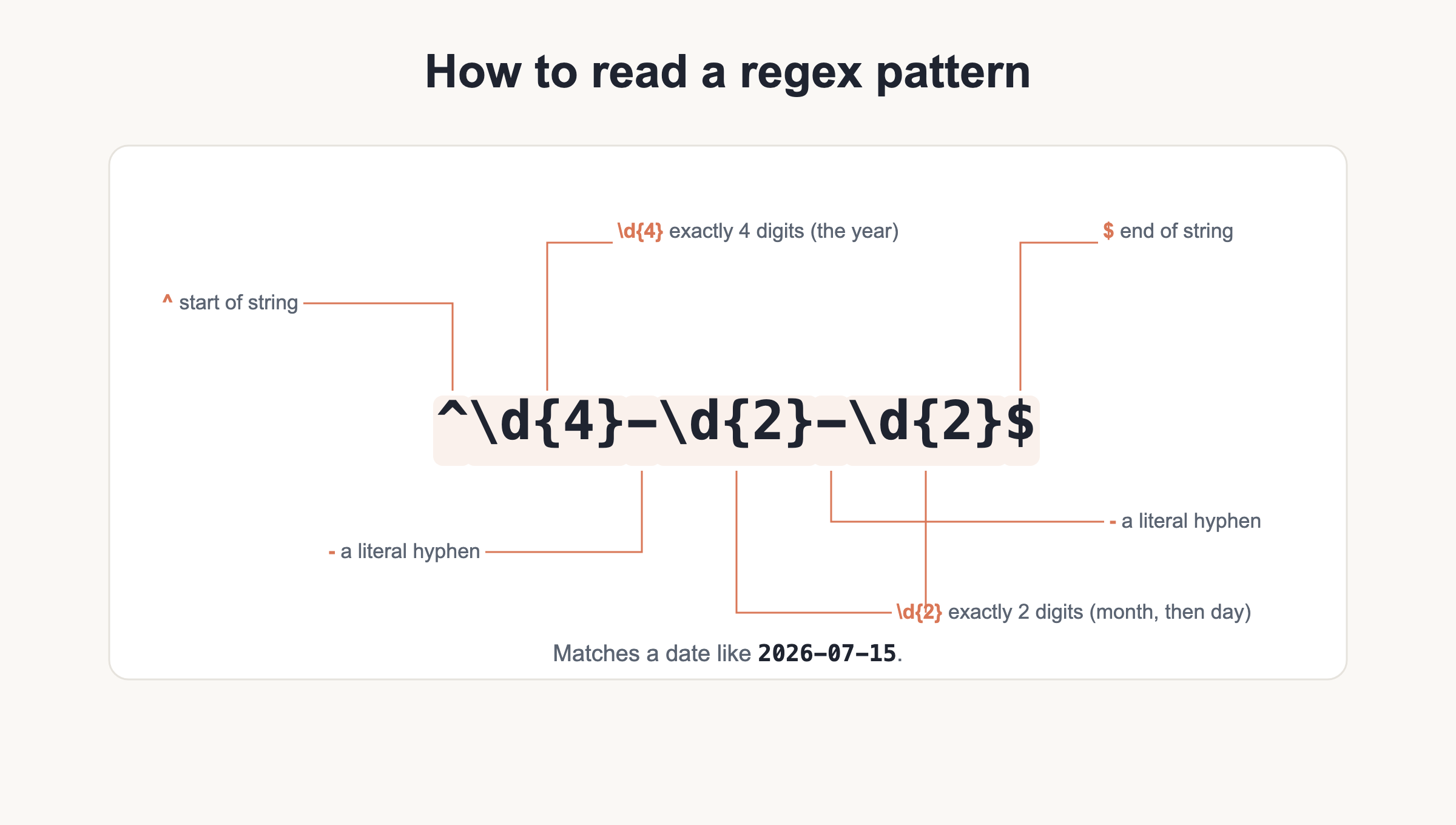
Read a pattern left to right, one piece at a time. The pattern \d{4}-\d{2}-\d{2} reads as “four digits, a hyphen, two digits, a hyphen, two digits.” Most symbols match themselves, but a handful are special and control repetition, position, or grouping. Those are the ones worth learning.
The fastest way to learn is to test as you go. Paste a pattern and some sample text into regex101.com, pick your flavor, and watch matches light up in real time. The site explains each token as you hover over it, which beats guessing. If you are new to writing code and building a site, start with our guide on how to create a website and come back once you are comfortable editing files.
One more habit worth forming early: build patterns up in small pieces. Match the easy part first, confirm it works, then add the next constraint. A pattern that fails is usually easier to fix when you know which addition broke it. Regex rewards patience far more than cleverness.
Character classes
Character classes are the building blocks. A single token can stand for a whole family of characters, so you rarely spell things out one letter at a time. The dot is the loosest of all: it matches almost anything. Bracket classes let you build your own set, and a caret inside the brackets flips the set to mean “anything except these.” Ranges save typing, so [a-z] covers every lowercase letter without listing all 26.
| Token | Matches | Example |
|---|---|---|
. |
Any character except a newline | a.c matches abc, a5c |
\d |
A digit, 0 through 9 | \d\d matches 42 |
\D |
Any non-digit | \D matches x, not 7 |
\w |
A word char: [A-Za-z0-9_] |
\w+ matches user_1 |
\W |
Any non-word char | \W matches a space or ! |
\s |
Whitespace | \s matches a space or tab |
\S |
Any non-whitespace | \S+ matches a token |
[abc] |
Any one listed character | [abc] matches a, b, or c |
[^abc] |
Any character not listed | [^abc] matches d, not a |
[a-z] |
Any character in a range | [a-z] matches m |
[A-Z0-9] |
Combined ranges | [A-Z0-9] matches G or 4 |
Anchors and boundaries
Anchors do not match characters. They match positions. That distinction trips people up, so keep it in mind: ^ and $ pin a pattern to the start and end of the line, and word boundaries mark the seam between a word character and a non-word character. Use them to stop a pattern from matching in the middle of something larger.
| Token | Matches | Example |
|---|---|---|
^ |
Start of the string or line | ^Dear matches a line that opens with Dear |
$ |
End of the string or line | end$ matches a line ending in end |
\b |
A word boundary | \bcat\b matches cat, not category |
\B |
A non-boundary position | \Bcat matches cat inside bobcat |
\A |
Start of the string (PCRE/Python, not JS) | \Aid anchors to the very start |
\z |
End of the string (PCRE/Python, not JS) | done\z anchors to the very end |
Quantifiers (greedy vs lazy)
Quantifiers say how many times the thing before them repeats. By default they are greedy, meaning they grab as much text as they can and then give some back only if the rest of the pattern needs it. Add a ? after a quantifier to make it lazy, so it matches as few characters as possible. This greedy-versus-lazy split is the single most common beginner gotcha, so read the examples twice.
| Token | Matches | Example |
|---|---|---|
* |
Zero or more | ab* matches a, ab, abbb |
+ |
One or more | ab+ matches ab, abbb |
? |
Zero or one | colou?r matches color and colour |
{n} |
Exactly n times | \d{4} matches 2026 |
{n,} |
n or more times | \d{2,} matches 12, 12345 |
{n,m} |
Between n and m times | \d{2,4} matches 12 to 1234 |
*? +? ?? {n,m}? |
Lazy: match as few as possible | <.+?> matches one tag, not the whole line |
Groups and alternation
Parentheses group part of a pattern so a quantifier applies to the whole chunk, and they also capture the matched text so you can reuse it. Alternation with the pipe lets you offer choices. Named groups make long patterns readable, and backreferences let a pattern refer to text it already matched.
| Token | Matches | Example |
|---|---|---|
(abc) |
A capturing group | (ab)+ matches abab |
(?:abc) |
A non-capturing group | (?:ab)+ groups without capturing |
(?<name>abc) |
A named capturing group | (?<year>\d{4}) captures as year |
| |
Alternation, this or that | cat|dog matches cat or dog |
\1 |
Backreference to group 1 | (\w)\1 matches a doubled letter |
\k<name> |
Named backreference | (?<q>['"]).*\k<q> matches balanced quotes |
Lookaround
Lookaround checks what comes before or after a position without consuming those characters. A lookahead peeks forward, a lookbehind peeks backward, and both come in positive and negative forms. They are perfect for “match X only when it is followed by Y” rules, and because the check does not consume characters, the matched text stays clean. That makes lookaround handy for splitting or replacing without dragging along the surrounding context. Lookbehind has been supported in JavaScript since ES2018, so it works in every current browser and in Node.
| Token | Matches | Example |
|---|---|---|
(?=...) |
Positive lookahead | \d+(?= dollars) matches 50 in 50 dollars |
(?!...) |
Negative lookahead | foo(?!bar) matches foo not before bar |
(?<=...) |
Positive lookbehind | (?<=\$)\d+ matches 50 in $50 |
(?<!...) |
Negative lookbehind | (?<!\$)\d+ matches a number with no $ |
Flags and modifiers
Flags change how the whole pattern behaves. They sit after the closing slash in JavaScript literals, and they are passed as arguments or inline modifiers in other languages. The global flag is JavaScript-specific: in PHP you get all matches with functions like preg_match_all instead, and the extended flag does not exist in JavaScript at all.
| Token | Matches | Example |
|---|---|---|
g |
Global, find all matches (JS) | /a/g matches every a |
i |
Ignore case | /cat/i matches Cat and CAT |
m |
Multiline: ^ and $ per line | /^x/m matches x on any line |
s |
Dotall: dot matches newline | /a.b/s spans a line break |
x |
Extended, allow whitespace (PCRE/Python, not JS) | lets you comment a pattern |
u |
Unicode | /\u{1F600}/u matches an emoji |
Escaping special characters
Some characters carry meaning in regex. To match them literally, put a backslash in front. The metacharacters you need to escape are . ^ $ * + ? ( ) [ ] { } | \ /. Forget this and a pattern that should match a literal dot will quietly match any character instead.
| Token | Matches | Example |
|---|---|---|
\. |
A literal dot | example\.com matches example.com |
\\ |
A literal backslash | C:\\temp matches C:\temp |
\? |
A literal question mark | ok\? matches ok? |
\/ |
A literal slash in JS literals | /https:\/\// matches https:// |
Whitespace and unicode tokens
You cannot always type whitespace into a pattern and expect it to survive, so regex gives you named escapes for tabs and line breaks. For characters outside the plain ASCII range, reach for a codepoint escape. The syntax differs by flavor, which is worth remembering when you copy a pattern between languages.
| Token | Matches | Example |
|---|---|---|
\t |
A tab | col\tcol matches tab-separated fields |
\n |
A newline | line\n matches a line break |
\r |
A carriage return | \r\n matches a Windows line ending |
\uXXXX |
A unicode codepoint (JS) | é matches e-acute |
\x{...} |
A unicode codepoint (PCRE) | \x{00e9} matches e-acute |
Real-world pattern recipes
Here are patterns you can lift straight into your work. None of them is perfect, especially the email one, because real email addresses are wildly varied. These cover the common cases without overengineering. Test each one against your own data before you ship it.
^[\w.+-]+@[\w-]+\.[\w.-]+$
# Email, pragmatic. No regex catches every valid address, so keep it loose.
^https?:\/\/[^\s/$.?#].[^\s]*$
# URL with http or https. The ? after http makes the s optional.
^\+?[\d\s().-]{7,}$
# Phone, loose. Allows a leading +, spaces, parens, dots, at least 7 chars.
^[a-z0-9-]+$
# Slug or username. Lowercase letters, digits, and hyphens only.
^#?([0-9a-fA-F]{3}|[0-9a-fA-F]{6})$
# Hex color. Matches fff or ffffff, with an optional leading #.
^\d{4}-\d{2}-\d{2}$
# Date in YYYY-MM-DD form. Shape only, it does not check real calendar dates.
find:    \s{2,}
replace: (a single space)
# Collapse runs of whitespace down to one space.
find:    (\w+)
replace: $1
# VS Code find and replace. Reference a captured group with $1, not \1.
RewriteRule ^old/(.*)$ /new/$1 [R=301,L]
# .htaccess 301 redirect. The left side is a regex; $1 reuses the captured path.
That redirect line lives in a server config file. For the full set of rewrite and redirect rules, see our .htaccess cheat sheet.
^(?=.*[a-z])(?=.*[A-Z])(?=.*\d).{8,}$
# Password: at least one lowercase, one uppercase, one digit, min 8 chars.
# Each (?=...) is a lookahead that checks a rule without moving forward.
Regex flavors and common mistakes
Regex is not one language. The dialects share a core but differ at the edges, and copying a pattern between them without checking is a reliable way to waste an afternoon. Here is what actually differs across the four you will meet most.
- JavaScript uses the
gflag for global matching and supports lookbehind since ES2018. It has no\A,\z, orxflag. - PCRE/PHP powers the
preg_*functions. It supports\A,\z, and the extendedxflag, and uses\x{...}for codepoints. - Python (the
remodule) is close to PCRE. It has\A,\Z, and the verbose flag. - grep uses basic regex (BRE) by default, so you must escape
\+,\?,\{, and\}. Rungrep -Efor extended regex (ERE) where those work unescaped.
Three mistakes catch nearly everyone. First, greedy quantifiers: .* grabs everything to the end of the line, so use the lazy .*? when you want the shortest match. Second, the dot does not match a newline unless you set the s flag. Third, the wrong flavor: a pattern that works in your editor may fail in your language. When in doubt, test in regex101 with the correct flavor selected.
Since preg_* functions run on PCRE, our PHP cheat sheet is the right companion for server-side matching. For flags and lookbehind in the browser, the JavaScript cheat sheet covers the JS-specific behavior in more depth.
Download the Regex Cheat Sheet (PDF) and related
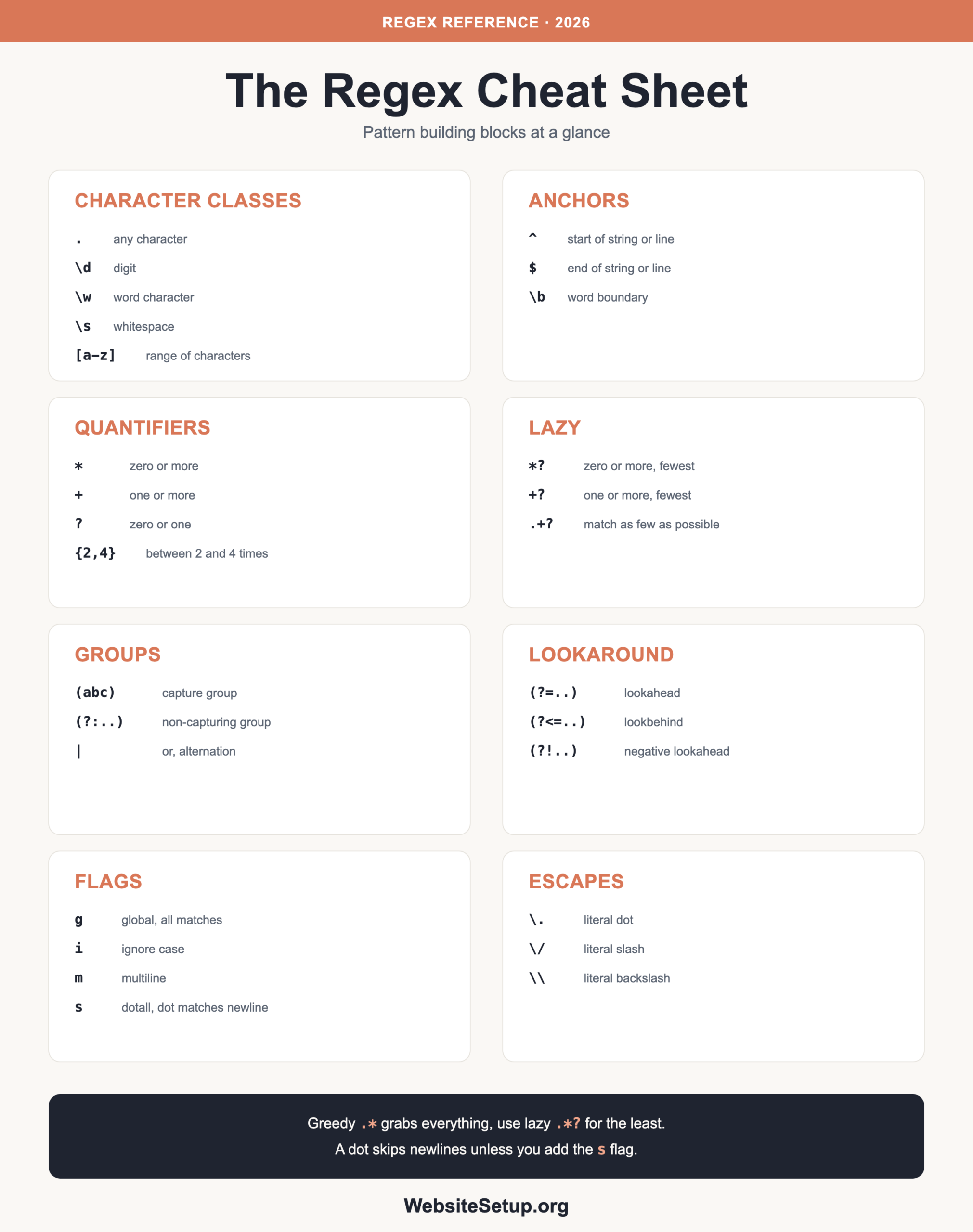
Want this reference offline? Grab the printable PDF below and keep it near your editor. It collects every token table and recipe on this page into a few pages you can print or pin.
Download the Regex Cheat Sheet (PDF)
Related cheat sheets: .htaccess, PHP, and JavaScript, all linked in the sections above.