
You’ve built a site with Claude Code and it looks great on your screen. Right now, though, only you can see it; it’s running on your own machine. Deploying is the step that puts it on the public internet so anyone with the link can visit. This guide covers the easiest way to do that for free, using Vercel or Netlify, plus how to set up automatic updates and fix the errors people run into.
If you haven’t built anything yet, start with the main Claude Code guide or our walkthrough on building a portfolio website with Claude Code. This page picks up the moment you have a working site and want it live.
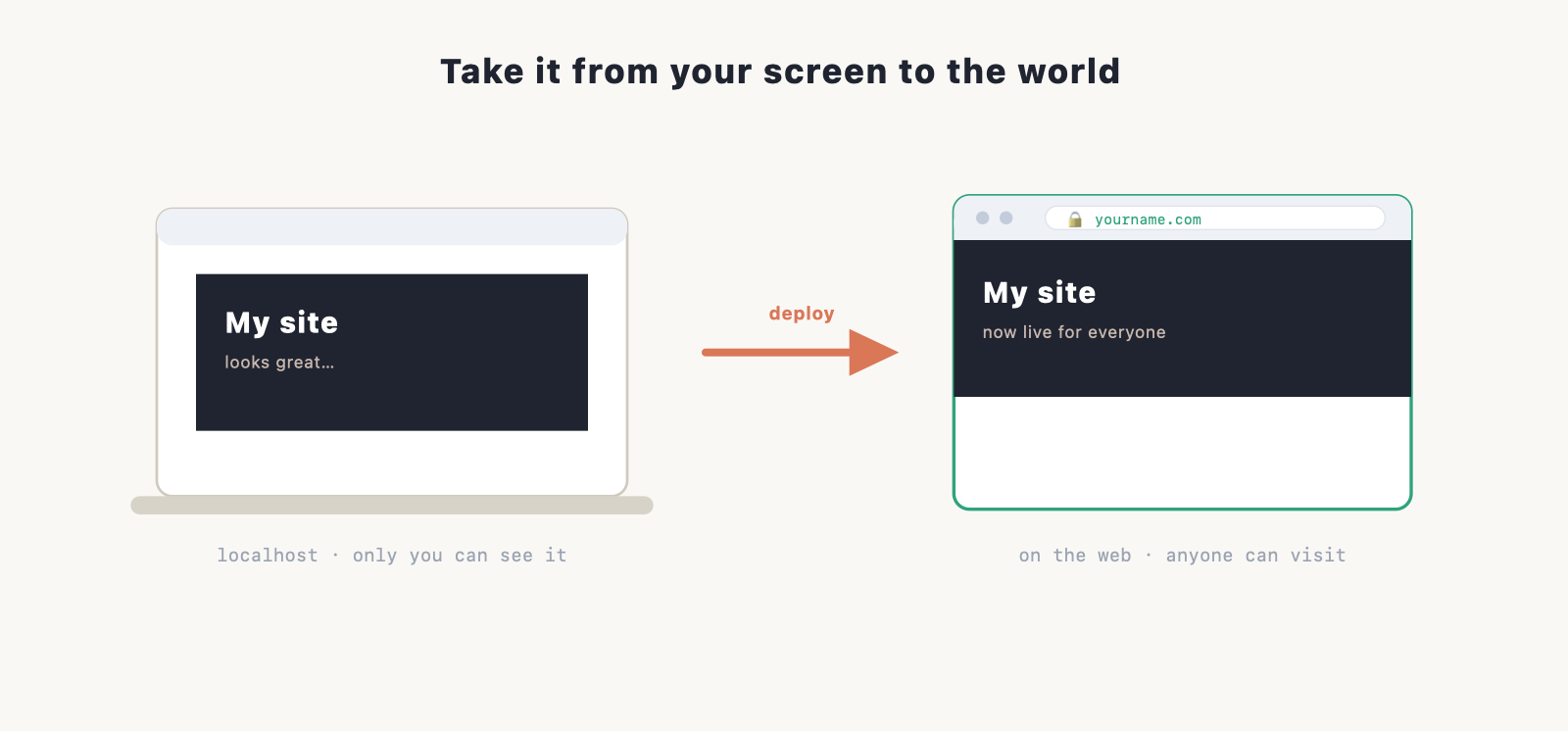
What “deploying” actually means
A website built with Claude Code is a set of files on your computer. A host is a service that keeps a copy of those files on a server that’s always on, and serves them to anyone who visits your address. Deploying is just the act of getting your files onto that host.
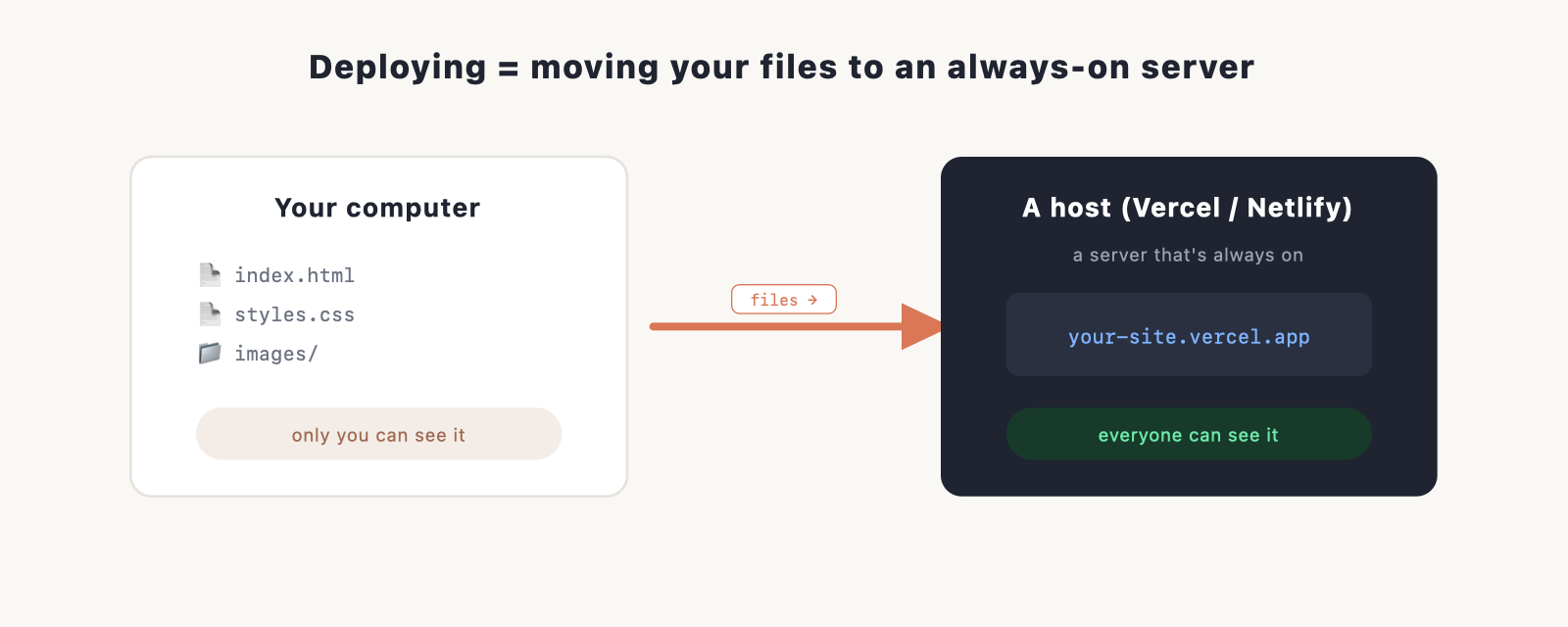
This is different from the traditional web hosting you’d buy for a WordPress site. Vercel and Netlify are modern hosts built for exactly this kind of site. Both have a free tier that’s plenty for a personal site or portfolio, both give you a working web address straight away, and both handle the security certificate (the padlock in the browser) automatically.
Before you deploy: a quick checklist
Three things make this go smoothly:
- Your site runs locally. You can open the preview and it looks right.
- Your code is in Git, ideally pushed to GitHub. This is the cleanest route, and Claude Code can do it for you. Our Git with Claude Code guide covers it if you’re new to that.
- A free Vercel or Netlify account. Sign up with your GitHub account to make the next step one click.
Not sure which host to pick? For a simple site, it does not matter much. Vercel and Netlify do the same job here. Pick one and move on.
The easy route: connect your GitHub repo
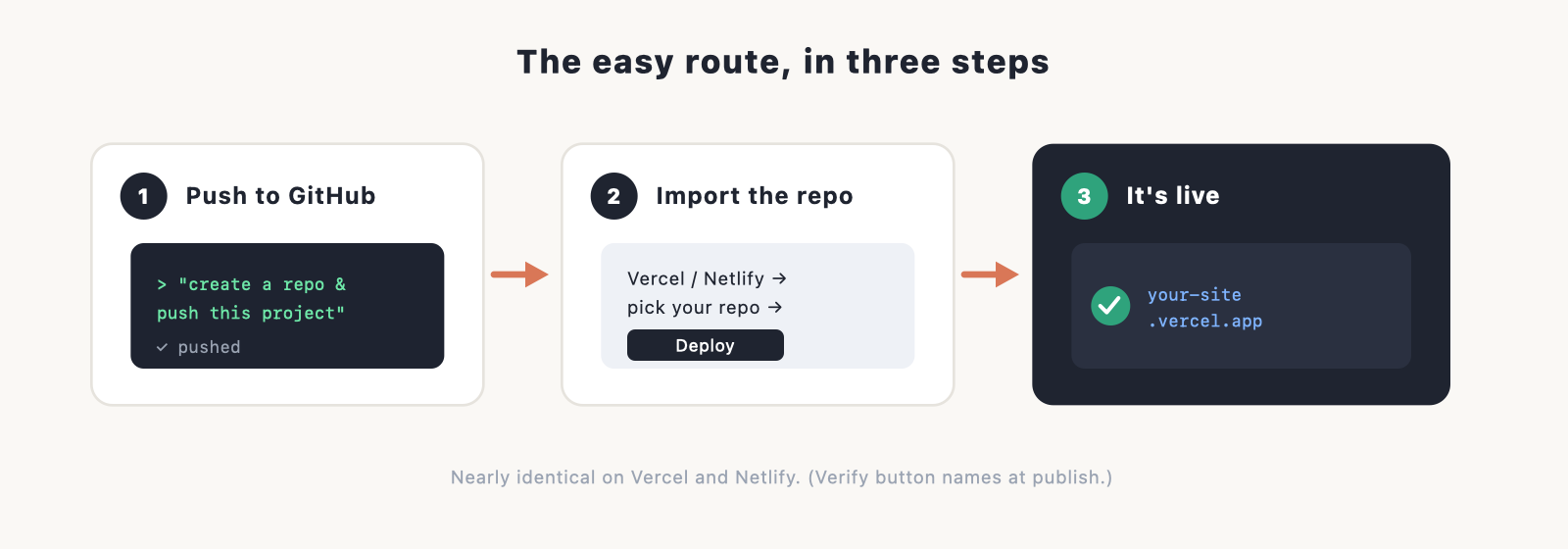
The smoothest way to deploy either host is to let it pull your code from GitHub and build it for you. Once that connection exists, your site updates itself every time you make a change. Here’s the flow, which is nearly identical on both:
- Push your project to a GitHub repository. Ask Claude Code to do it: “create a GitHub repo for this project and push it.” (See the Git guide if you want the manual version.)
- In Vercel or Netlify, choose to import or add a new project, and pick that repository from the list.
- The host detects how your site is built and fills in the settings. For a plain HTML/CSS site there’s usually nothing to change. Click deploy.
- A minute later you get a live URL, something like
your-site.vercel.apporyour-site.netlify.app. That’s your site, online.
Deploying to Vercel
After signing in, choose “Add New Project,” import your GitHub repo, leave the detected settings as they are for a simple site, and deploy. Vercel is especially smooth if your site uses Next.js, since Vercel makes Next.js. (Verify the current button names at publish.)
Deploying to Netlify
The steps mirror Vercel: “Add new site,” import from GitHub, confirm the build settings, and deploy. Netlify also offers a drag-and-drop option for fully static sites, where you drop your site folder onto the page and it goes live, no GitHub needed. It’s handy for a quick test, but the GitHub route is better long-term because of automatic updates.
Automatic updates: push once, update forever
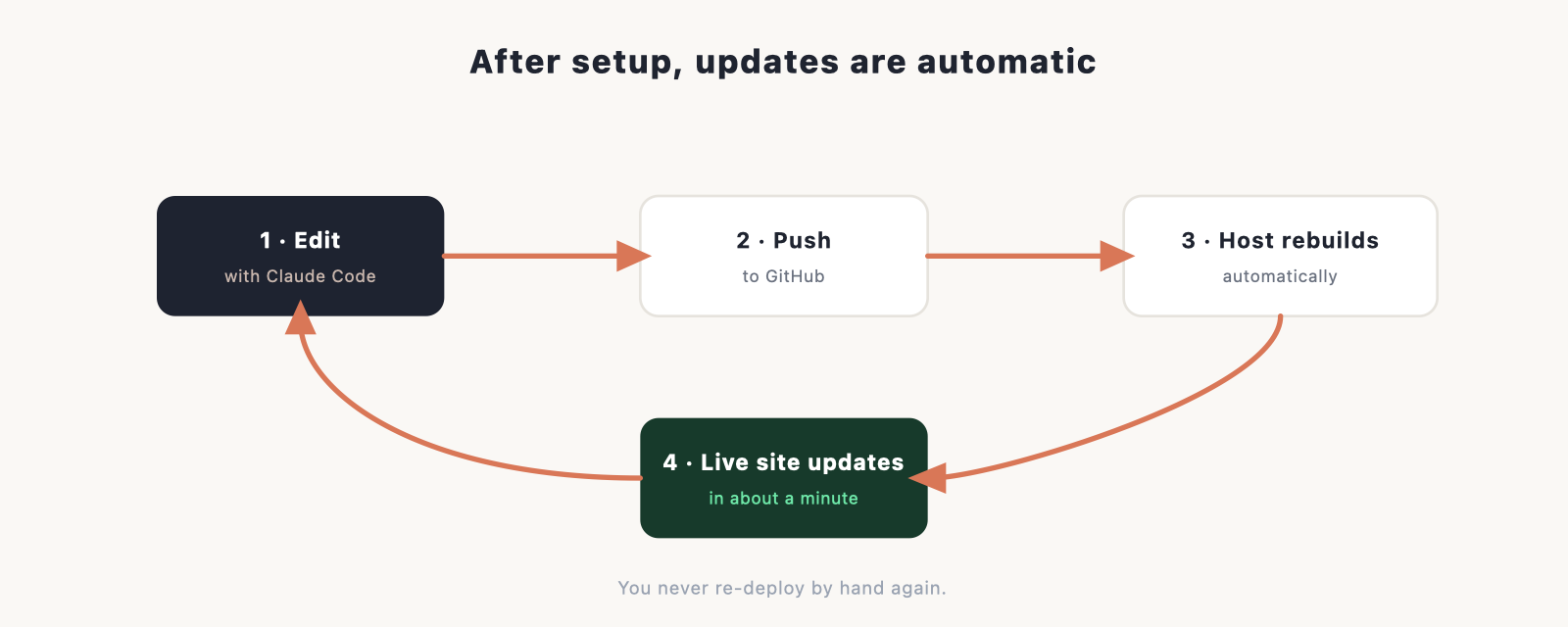
This is the part people love. With your repo connected, you don’t “re-deploy” by hand. You make a change with Claude Code, it gets pushed to GitHub, and the host rebuilds and publishes the new version on its own, usually within a minute. Your live site stays in sync with your code without you thinking about it.
What hosting costs
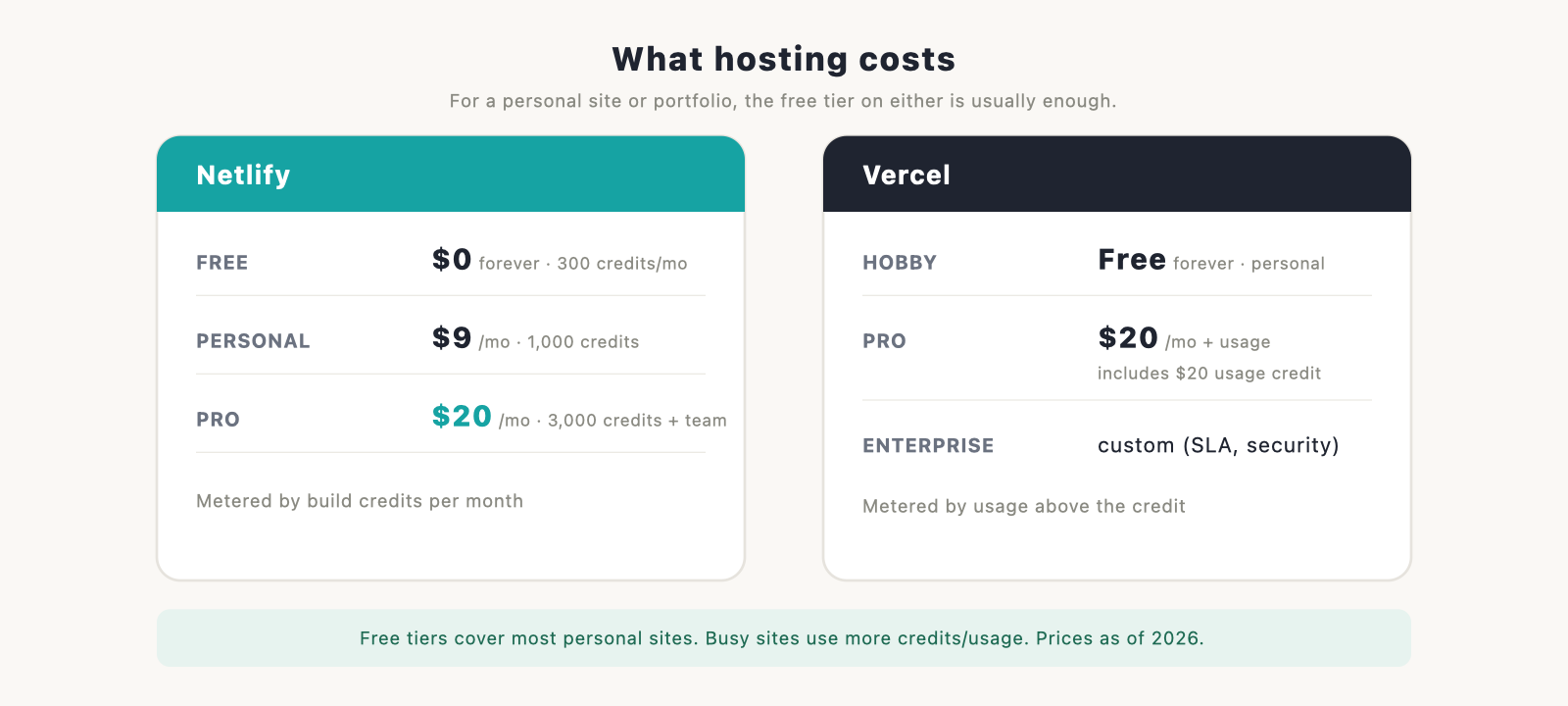
For a personal site, blog, or portfolio, the free tier on either host is usually all you need. When you outgrow it, here is roughly where paid plans begin. (Prices as of 2026; check the current pages.)
- Netlify: free forever, with a monthly build-credit allowance (300 credits). Paid starts at $9 a month (Personal, 1,000 credits) and $20 a month (Pro, 3,000 credits and team features).
- Vercel: Hobby is free forever for personal projects. Pro is $20 a month plus usage, and includes $20 of usage credit along with team and scaling features. Above that, a custom Enterprise tier adds SLAs, security, and support.
Both meter usage (build credits on Netlify, usage on Vercel), so a busy site can cost more than the headline price. For a small site you will likely sit on the free tier for a long time.
Add your own domain
A .vercel.app or .netlify.app address works, but most people want their own, like yourname.com. Both hosts let you add a custom domain in their settings, and they walk you through pointing it. You can set up a matching inbox with create a custom domain email. Still need to buy one? Start with how to choose a domain name.
When a deploy fails (and how to fix it)
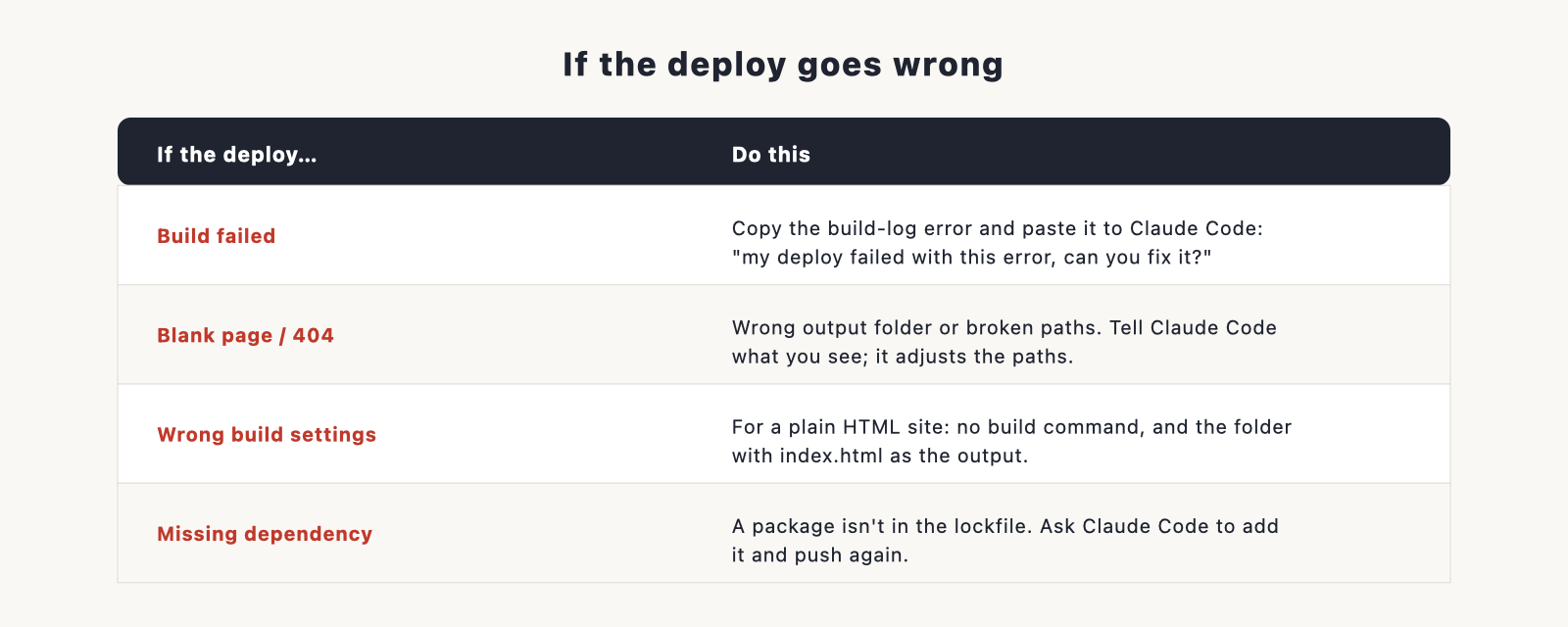
Most failed deploys come down to one of these.
- The build failed. The host tried to build your site and hit an error. Open the build log it shows you, copy the error, and paste it to Claude Code: “my deploy failed with this error, can you fix it?” This solves the large majority of cases.
- Wrong build settings. The host guessed the wrong build command or output folder. For a plain HTML site, you usually want no build command and the folder containing your
index.htmlas the output. Double-check those two fields. - A blank page or 404 after a successful deploy. Often the site built but the host is looking in the wrong folder, or links point to files that didn’t get included. Tell Claude Code what you’re seeing and it can adjust the paths.
- Missing dependency. The build complains that something isn’t installed. This usually means a package is missing from your project’s lockfile; ask Claude Code to add it and push again.
If you’re stuck on something else, our Claude Code troubleshooting guide covers more.
What’s next
Your site is live. Two things worth doing now: run our website launch checklist so nothing’s missing, and once it’s getting visitors, work through how to increase website traffic. To keep editing, just open the project in Claude Code, make your change, and let the auto-deploy handle the rest.
Frequently asked questions
Is deploying to Vercel or Netlify free? For most personal sites, yes. Both have a free-forever tier that covers a portfolio or small site. Paid plans start at $9 a month (Netlify Personal) or $20 a month (Netlify Pro and Vercel Pro), and both meter usage above the included amount. (Prices as of 2026.)
Do I need to use GitHub? It’s the best route because it gives you automatic updates, and Claude Code can set it up for you. Netlify also has a drag-and-drop option for static sites if you’d rather skip it.
Vercel or Netlify, which should I choose? For most sites either is fine. Pick Vercel if your site uses Next.js; otherwise choose whichever interface you prefer.
How do I update my site after it’s live? Make the change with Claude Code and push it. If your repo is connected, the host redeploys automatically.
Can Claude Code deploy the site for me? It can handle the technical parts, like creating the GitHub repo and pushing your code, and it can talk you through the host’s screens. The one-time account setup on Vercel or Netlify is something you do yourself.
